Need help?
Do you have a question about the Universal Electronics Titan M2056-C and is the answer not in the manual?
Details on Learning, Volume Lock, Channel Lock, Macros, and Master Power.
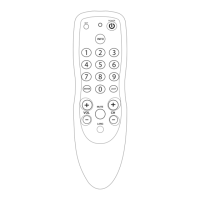
Illustration of the Titan remote control and its buttons.
Detailed explanation of all remote control keys and their functions.
Step-by-step instructions for inserting batteries correctly.
Set up the remote to control different home theater devices.
Methods to find and verify device control codes.
Copy specific functions from an original remote.
Assign device control for volume and channel changing.
Create custom sequences and master power control.
Enable or disable the keypad backlight feature.
Reset all custom settings to factory defaults.
Reprogram the remote for a different set-top box brand.
Addresses blinking LEDs, no response, and code search issues.
Compliance and non-serviceable parts information.
Extensive list of setup codes for various devices.
 General
| Brand | Universal Electronics |
|---|---|
| Model | Titan M2056-C |
| Power Source | 2 x AAA batteries |
| Device Type | Universal Remote |
| Compatible Devices | TV |
| Control Method | IR |

 To Next Page