C
G
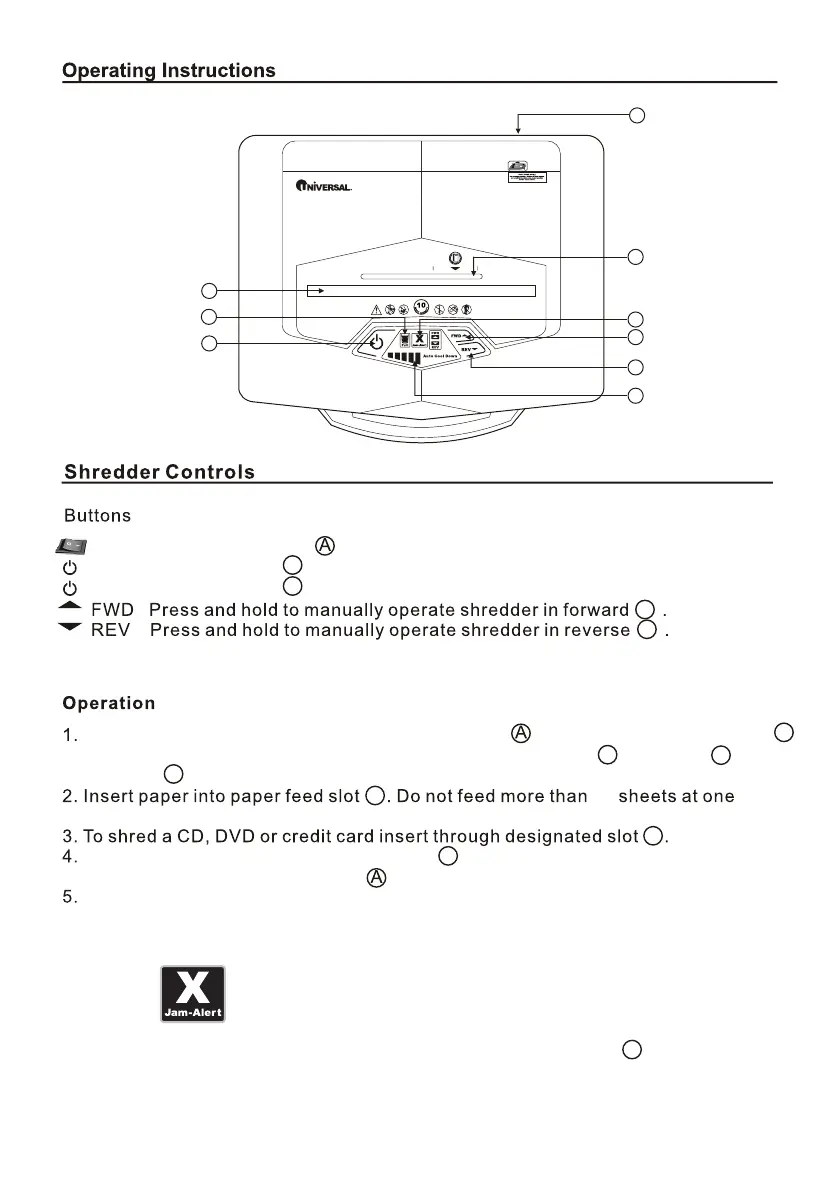
Turn on the main Power Switch in back of shredder . Press the Stand-by button .
The following function buttons will illuminate: Stand-by button , the FWD
and REV .
E
H
B
B
10
time. The shredder will stop after paper has passed through.
After shredding, press the Stand-by button to turn off the shredder and turn off the
power switch in back of shredder .
Empty the waste bin regularly to prevent jams and damage to cutting mechanism.
A
B
C
D
E
F
G
H
I
B
E
H
B
B
Switch Main Power Switch to ON position.
Press Stand-by Button to turn on.
Press Stand-by Button to turn the power off.
F
This unit is equipped with jam-alert technology. The jam-alert icon will blink
indicating that the maximum sheet capacity has been exceeded. Reduce the number
of sheets and place the paper back into the paper feed slot.
Jam-Alert



 To Next Page