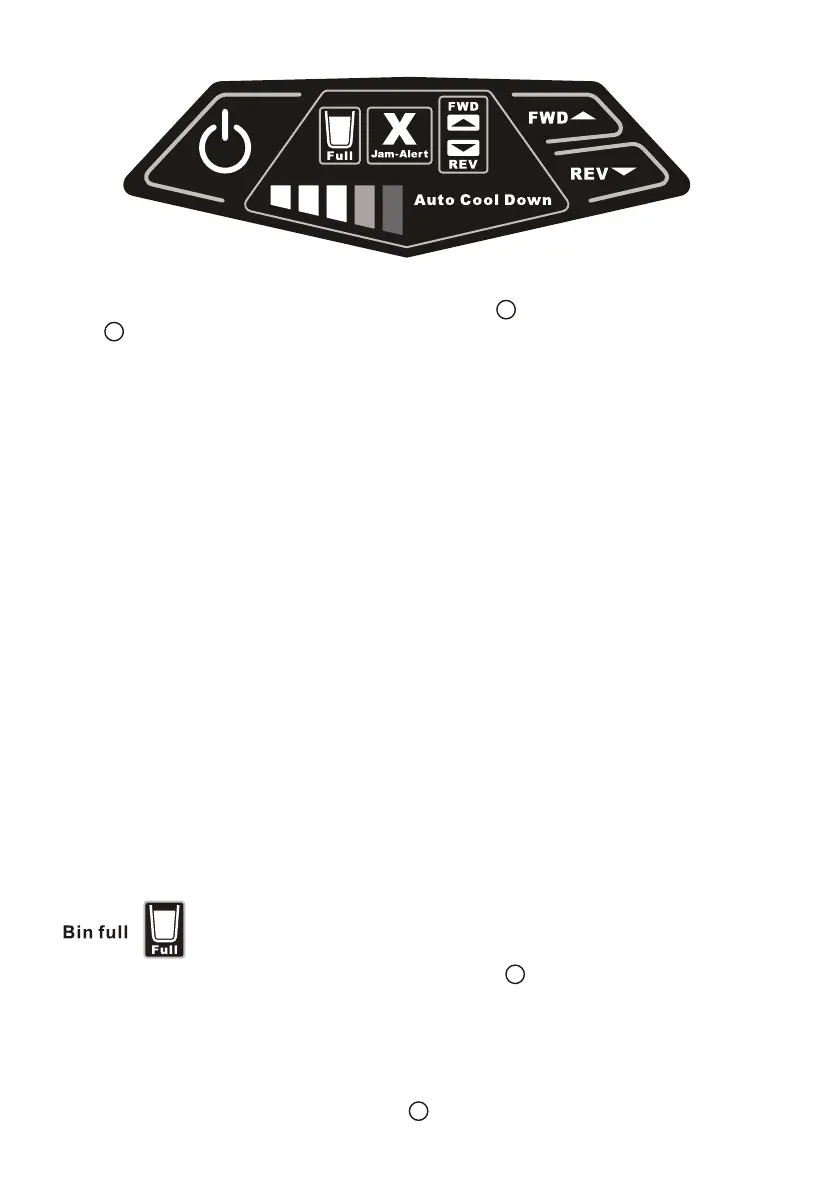
1. When the shredder is first turned on, the cool down indicator lights
are not illuminated.
2. When shredding operation begins, only the 1st green indicator light will
be illuminated.
3. During continous shredding, the 1st and 2nd green indicator lights will be
illuminated.
4. When the 1st + 2nd + 3rd green indicator lights are illuminated, this
indicates that 85% of duty cycle has been reached.
5. When the 1st + 2nd + 3rd green indicator lights + amber light are illuminated,
this indicates the duty cycle has reached a range of 86% to 99%.
6. When the duty cycle has reached 100%, the shredder will automatically
turn off for cool down cycle. The red indicator light + the white “Auto Cool
Down” light will be illuminated at the same time.
7. When the red overheating light turns off, the green and amber indicator
lights will be illuminated. The shredder will then shred any remaining
paper left in the paper throat. Cool down cycle will continue until all
indicator lights have turned off.
8. When all lights have turned off, a full duty cycle can be resumed.
When waste bin is full, green “Full” light will flash .
Standby mode
The shredder is equipped with an energy saving standby mode which will
activiate after 30 minutes of no shredding operation.
To resume, press the Stand-by button .
This unit is equipped with an Auto Cool Down feature . As you shred, the cool down
bars will illuminate indicating how close the unit is to reaching its maximum duty
cycle. When the maxumum continous shred time of 10 minutes has been reached,
the unit will automatically shut off and the red overheat light will be illuminated. The
Auto Cool Down phrase will also be illuminated. After a cool down period of 60
minutes, the shredder is fully operational.
Cool Down Light Operation
D
D
Auto Cool Down
I
B


 To Next Page
 Loading...