
 Need help?
Do you have a question about the Universe Thermostat and is the answer not in the manual?
Connect your thermostat to Wi-Fi for remote control via the Universe app.
Step-by-step guide to connect your thermostat to your Wi-Fi network and the Universe app.
Explains Heat, Cool, and Auto modes for HVAC system operation.
Describes fan speed options from off to automatic.
Guide to setting the current time and date on your Universe Thermostat.
How to choose between Celsius and Fahrenheit for temperature display.
Steps to create daily programs for time and temperature settings.
Instructions to set a vacation hold for energy saving when away.
Steps to resume normal operation after a vacation hold period.
Maintains constant comfort settings (temp, fan) 24/7.
Holds settings until the next scheduled program.
Adjusts settings based on user-defined daily programs.
Adjusts temperature based on door/window contacts or codes.
Sets comfort settings for a specific period when away from home.
Overview of sensors like drain pan overflow and freeze protection.
Guidance on how to resolve and clear thermostat safety warnings.
Steps to reset Wi-Fi settings and re-register the device.
Information about performing a factory reset, typically by a technician.
 General
| Warranty | 3-year limited warranty |
|---|---|
| Connectivity | Wi-Fi 802.11 b/g/n, 2.4GHz |
| Power | 24V AC (C-wire required) |
| Sensors | Temperature, Humidity |
| Voice Control | Amazon Alexa, Google Assistant |
| Geofencing | Yes |
| Energy Reports | Monthly energy usage reports |
| Installation | DIY installation, professional installation recommended |
| Compatibility | Works with most HVAC systems including gas, electric, heat pump, and radiant systems |
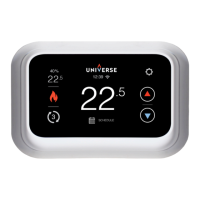
| Display | Full-color touchscreen LCD, 3.5-inch |

 To Next Page