
 Need help?
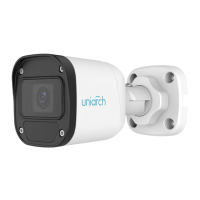
Do you have a question about the uniview technologies Uniarch IPC-B112-PF40 and is the answer not in the manual?
Default password warning and security advice.
Procedure for accessing the camera via the web interface.
Setting local parameters for the PC, such as video processing.
Configuring IP address and network settings for the camera.
Configuring email alerts and notifications.
Fine-tuning image quality parameters.
Configuring camera exposure settings.
Setting up areas to mask for privacy protection.
Setting video compression and stream parameters.
Configuring media stream profiles and protocols.
Setting up motion detection parameters and areas.
Setting up tamper detection for the camera lens.
Managing user accounts and permissions.
 General
| Brand | uniview technologies |
|---|---|
| Model | Uniarch IPC-B112-PF40 |
| Category | Security Camera |
| Language | English |

 To Next Page