EasyManua.ls Logo

Univox PLS-X1 - User Manual

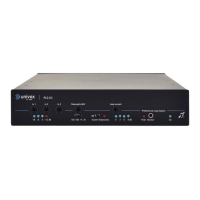
Univox PLS-X1
28 pages
Print Icon
To Next Page IconTo Next Page
Loading...
1
Univox® PLS-X1, X3, X5
Induction Loop Drivers
Installation Guide
Univox® PLS-X1 Part No 217100
Univox® PLS-X3 Part No 217300
Univox® PLS-X5 Part No 217500

Other manuals for Univox PLS-X1

Questions and Answers

  • E
    Eric HutchinsonAug 17, 2025
    Why is the Univox Recording Equipment power LED off?
    • W
      William VazquezAug 17, 2025
      The power LED might be off because the power supply isn't correctly connected. Ensure the power supply is properly connected. Alternatively, the power supply could be faulty, in which case, it should be replaced.
  • P
    perryjenniferAug 20, 2025
    What to do if the Univox Recording Equipment microphone is connected but input LEDs are off?
    • R
      riveradavidAug 20, 2025
      If the microphone is connected but the input LEDs are off, the phantom power might not be turned on; try turning it on. Also, the input level may be too low, so increase the input level or reduce the speaking distance. It is also possible that the microphone needs a higher phantom voltage, use valid microphone or connect a microphone mixer (amplifier). Finally, the microphone, lead or connectors could be faulty; if so, exchange the faulty part.
  • K
    Kimberly Lloyd MDAug 22, 2025
    Why is the audio quality poor and the clip/peak LED is on in Univox Recording Equipment?
    • J
      Jamie MillerAug 22, 2025
      Poor audio quality with the clip/peak LED illuminated can occur if the loop impedance is too high. Try changing the loop by using twin cores in parallel or a cable with a higher cross-section. Alternatively, the loop current might be set too high; reduce the loop current. A high Parametric MLC setting can also cause this; turn down the Parametric MLC.
  • E
    Erica GarzaAug 25, 2025
    What to do if Univox Recording Equipment output and input LEDs are off, but the power LED is on?
    • N
      Noah LeeAug 26, 2025
      If the output and input LEDs are off while the power LED is on, there might be no input signal. Check if an input signal is present. It's also possible that the input signal is set too low; adjust the level of the input signal.
  • K
    Kelly HarrisAug 27, 2025
    Why is the audio quality poor in Univox Recording Equipment, clip/peak LED is off, and sound quality using headphone monitor is also poor?
    • K
      Krista CoxAug 28, 2025
      If the audio quality is poor, the clip/peak LED is off, and the headphone monitor sound quality is also poor, the input signal might be set too high. Reduce the input signal level and check the Line/Mic level setting. Another potential cause is a poor-quality audio source. Try changing or adjusting the audio source.
  • M
    Mitchell EspinozaAug 30, 2025
    How to improve intelligibility of sound from microphone in Univox Recording Equipment?
    • T
      Tracy SteeleAug 30, 2025
      If the intelligibility of sound from the microphone is poor, it could be due to low-frequency masking. Turn the speech enhancement filter on. Another cause might be poor microphone user techniques, in which case, train the user.
  • J
    Jenny ScottSep 1, 2025
    What to do if Univox Recording Equipment input and output LEDs flash on and off?
    • A
      aaronjohnsonSep 1, 2025
      If the input and output LEDs are flashing on and off, the System Diagnostics may be turned on. Turn System Diagnostics off.
  • M
    Megan FigueroaSep 4, 2025
    What to do if the Univox Recording Equipment Power LED is on, but the Clip/Peak LED is on (brightly red)?
    • A
      Alexis WrightSep 4, 2025
      If the Power LED is on, but the Clip/Peak LED is brightly red, it may indicate that the loop is not correctly connected. Check that the loop wire is correctly connected to the loop terminal.
  • V
    Veronica ParksSep 6, 2025
    What to do if Univox Recording Equipment output current LEDs are off, but input LEDs are on?
    • E
      Evelyn ChapmanSep 7, 2025
      If the output current LEDs are off while the input LEDs are on, the loop current may be turned down. Adjust the loop current.
  • J
    Joseph PowellSep 9, 2025
    How to clear alarm/priority signal on Univox Recording Equipment?
    • J
      juanwalkerSep 9, 2025
      If the alarm or priority signal is not clear, the override DIL switch may not be set to allow this function. Set the DIL switch to the correct position.

Univox PLS-X1 Specifications

General IconGeneral
BrandUnivox
ModelPLS-X1
CategoryAmplifier
LanguageEnglish

Related product manuals