EasyManua.ls Logo

Uniwell LX-5700 - User Manual

Uniwell LX-5700
122 pages
Print Icon
To Next Page IconTo Next Page
Loading...
2004-09-24
LX-5000 series 02 type
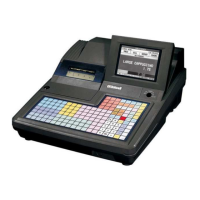
LX-5600 2-sheet dot matrix printer
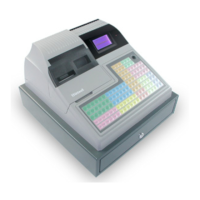
LX-5700 2-sheet thermal printer
LX-5750 1-sheet thermal printer
Operation /
Manual /"
THE SOCKET-OUTLET SHALL BE INSTALLED NEAR THE EQUIPMENT AND SHALL BE
EASILY ACCESSIBLE.
LA PRISE DOIT ETRE PRES DE L'APPAREIL ET FACILE D'ACCES.
Note: This equipment has been tested and found to comply with the limits for a Class B digital device, pursuant
to part 15 of the FCC Rules. These limits are designed to provide reasonable protection against harmful
interference in a residential installation. This equipment generates, uses and can radiate radio frequency energy
and, if not installed and used in accordance with the instructions, may cause harmful interference to radio
communications. However, there is no guarantee that interference will not occur in a particular installation. If
this equipment does cause harmful interference to radio or television reception, which can be determined by
turning the equipment off and on, the user is encouraged to try to correct the interference by one or more of the
following measures:
-- Reorient or relocate the receiving antenna.
-- Increase the separation between the equipment and receiver.
-- Connect the equipment into an outlet on a circuit different from that to which the receiver is connected.
-- Consult the dealer or an experienced radio/TV technician for help.

Table of Contents

Other manuals for Uniwell LX-5700

Question and Answer IconNeed help?

Do you have a question about the Uniwell LX-5700 and is the answer not in the manual?

Summary

ATTENTION

II. INSTALLATION

V. KEY EXPLANATION

VI. OPERATION SEQUENCES

Clerk Time-in; Time-out

Describes the process for clerks to log their work hours and attendance.

Clerk Sign-on; Sign-off

Details the procedure for clerks to start and end their work sessions.

PLU Operations

Sales by Weight

Details how to process sales of items weighed on a scale.

Transaction Management

Media Closing

Explains the various methods for closing a transaction using different media.

Void; Scroll Void

Details how to cancel items or entire transactions using void functions.

Refund; Media Refund

Explains how to process refunds for items or entire transactions.

Pricing and Tax Management

Tax

Details VAT and Add-On tax methods, calculation, and printing.

Item Tracking and Other Features

Data Printing and Reports

Cash Declaration

WARNING MESSAGES

Uniwell LX-5700 Specifications

General IconGeneral
DisplayLCD
Number of Departments99
PrinterThermal printer
TypeElectronic Cash Register
ConnectivityEthernet

Related product manuals