Page 3 of 4
Figure 2
Figure 1
Figure 3
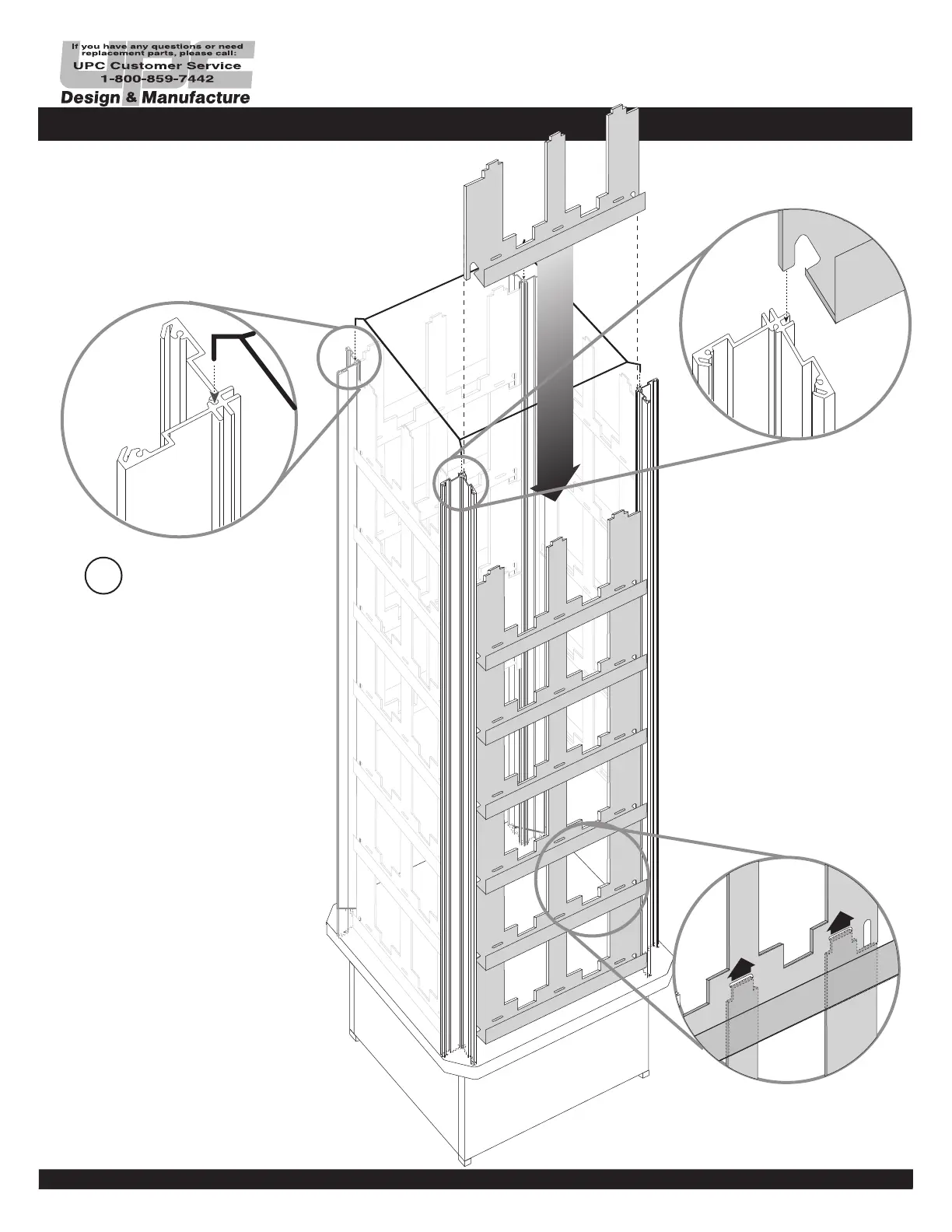
Insert Assembly Helper (D),
into top of the Corner Posts
(A). Be sure wire goes into
center holes. (see Fig.1).
Peel off protective masking
on racks.
Insert Racks (E), into narrow
slots of the Corner Post (A)
(see Fig. 2). Be sure tabs of
the bottom Racks enter slots
in the upper Racks. (see Fig.
3).
ASSEMBLY
3



 To Next Page