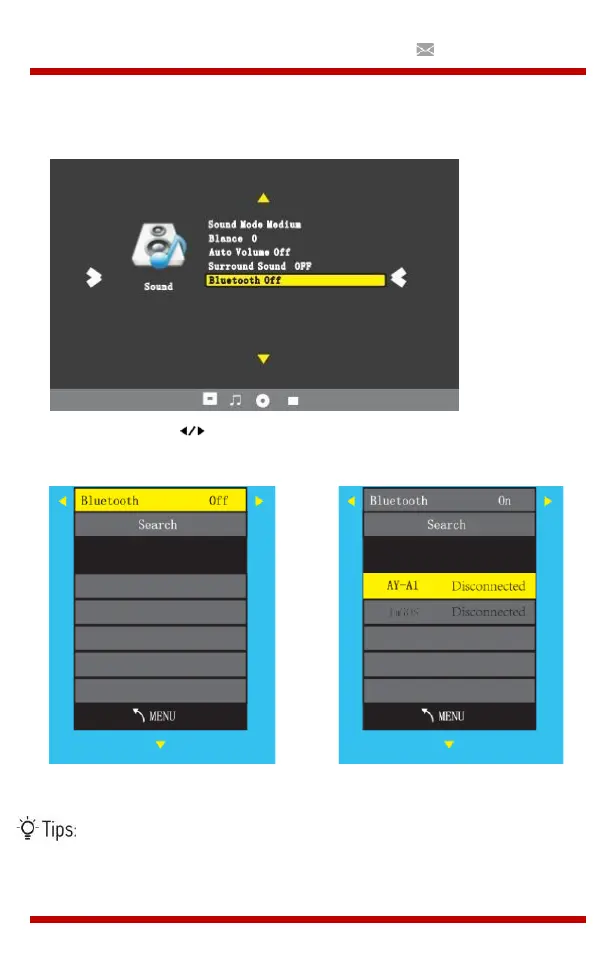
Connect to Bluetooth Speaker
1. Enter Sound menu –> Bluetooth
2. Choose the “ " button to turn on Bluetooth.
3. Choose Search and press OK to scan for nearby Bluetooth speakers.
4. Select the right Bluetooth speaker of the list and click OK.
When turning on the projector, it will automatically try to
connect with the latest connected Bluetooth speaker.


 To Next Page