Menu settings
1. Gebruikershandleiding afstandsbediening
Druk op de toets “ " om het hoofdmenu te openen en druk vervolgens
op “ " om elk submenu te openen.
Druk op “ " om het submenu te selecteren, pas vervolgens de
parameters naar wens aan en druk op de “ OK " -toets om te bevestigen.
2. Functie van submenu’s:
a.
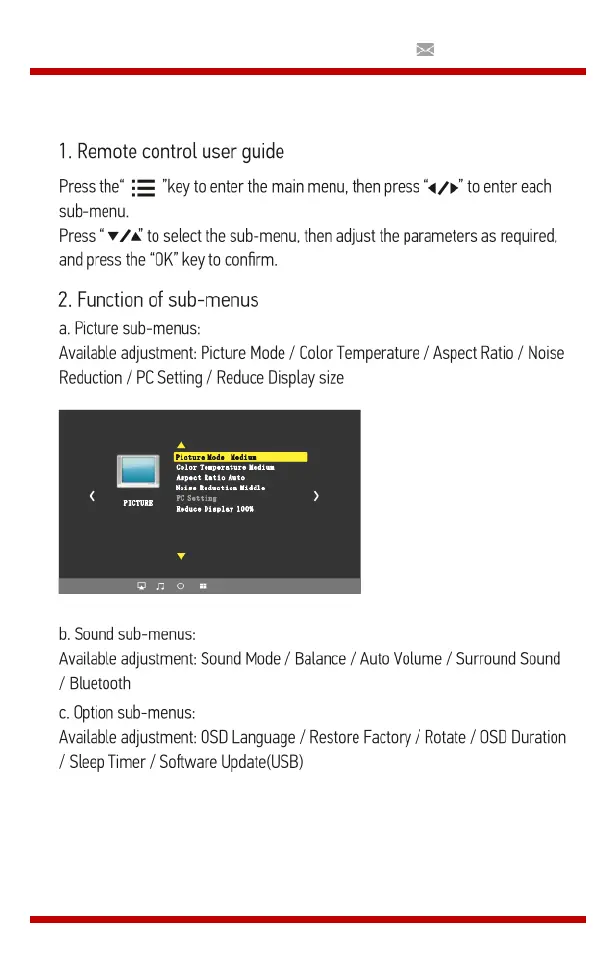
Afbeelding submenu’s:
Beschikbare aanpassingen: Beeldmodus / Kleurtemperatuur / Hoogte-
breedteverhouding / Ruisonderdrukking / Scherm / Weergaveverkleinen.
b.
Geluidssubmenu's:
Beschikbare aanpassingen: Geluidsmodus / Balans / Automatisch Volume
/ Surround Sound / Bluetooth
c.
Submenu's instellen:
Beschikbare aanpassingen: OSD-Taal / Fabriek Herstellen / Roteren /
OsdDuration / Slaap Timer / Software Update (USB)


 To Next Page