
 Need help?
Do you have a question about the Urbanworx CAM-1080PFHD and is the answer not in the manual?
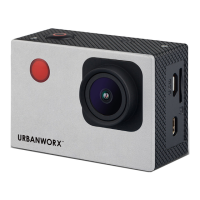
This document is an instruction manual for the URBANWORX™ Full HD Action Camera, model CAM-1080PFHD. It provides comprehensive guidance on the camera's operation, from initial setup to advanced features, ensuring users can effectively capture their active lifestyle moments.
The URBANWORX™ Action Camera is designed for capturing high-definition video and photos, making it suitable for a variety of outdoor and action-oriented activities. Its compact and robust design allows for easy portability and use in diverse environments.
The core function of the URBANWORX™ Action Camera is to record video and take still photographs. It operates in several distinct modes to cater to different recording needs:
Shooting Mode: This is the primary mode for taking still photographs. Users can select various photo sizes, including VGA, 1M, 2M, 3M, and 5M, to suit their storage and quality preferences. The camera displays a counter for the number of photos taken, an icon indicating if a Micro SD card is inserted, and a battery indicator.
Video Recording Mode: This mode is dedicated to capturing video footage. It supports Full HD (1920x1080 at 25fps) and HD (1280x720 at 30fps) resolutions, as well as VGA (640x480 at 60fps). The display shows the recording time, video resolution, an icon for Micro SD card presence, and the battery status.
Car Carrying Mode: This specialized mode is likely optimized for use in vehicles, potentially offering features like loop recording or automatic start/stop recording when connected to a power source. Similar to video recording mode, it displays video resolution options (Full HD, HD, VGA), recording time, Micro SD card icon, and battery indicator.
Replay Mode: This mode allows users to review captured videos and photos directly on the camera's LCD screen. It provides options to play, pause, and stop video playback, as well as to delete files.
The camera is equipped with a built-in 3.7V lithium battery, ensuring portability without the need for external power during operation. Charging is facilitated via a Micro USB port, and a light indicator signals the charging status.
The URBANWORX™ Action Camera is designed for user-friendly operation, incorporating several features to enhance the recording experience:
Power Management: The camera is turned on and off by pressing and holding the power button for 3 seconds. To conserve battery life, an auto-shutdown feature is included, which automatically turns off the camera after 3 minutes of inactivity.
Navigation and Control: The camera features a clear LCD screen on the back for viewing modes, settings, and playback. Navigation through the different modes (Shooting, Car-Carrying, Video Recording, Replay) is done using the Mode button. Within each mode, "Up" and "Down" buttons allow for menu navigation and setting adjustments, while the "OK" button confirms selections or initiates actions like taking photos or starting/stopping video recording.
Wrist Remote Control: A significant feature is the included wrist remote control, which allows for convenient operation without directly interacting with the camera. The remote is designed to be worn on the left wrist, ensuring the infrared sensor faces the camera for proper functionality.
Memory Card Support: The camera utilizes a Micro SD card for storage (not included). The Micro SD card slot is conveniently located on the side of the camera, near the Micro USB port. To remove the card, users gently press its end, and it will eject.
File Access:
Battery Handling: The manual provides clear instructions for removing and re-inserting the battery pack, emphasizing the correct orientation to ensure proper connection. The LCD side of the camera and the battery pack connections should both face up when inserting the battery.
Menu Operations: The camera offers various menu settings accessible through the "Mode" button. These menus allow users to customize recording parameters:
While the manual primarily focuses on operation, it includes essential information related to the care and maintenance of the device, particularly concerning the battery:
 General
| Resolution | 1080p Full HD |
|---|---|
| Lens | Wide-angle lens |
| Battery Life | Approx. 90 minutes |
| Screen | 2.0" LCD Screen |
| Connectivity | HDMI, USB |
| Storage | MicroSD card (up to 32GB) |

 To Next Page