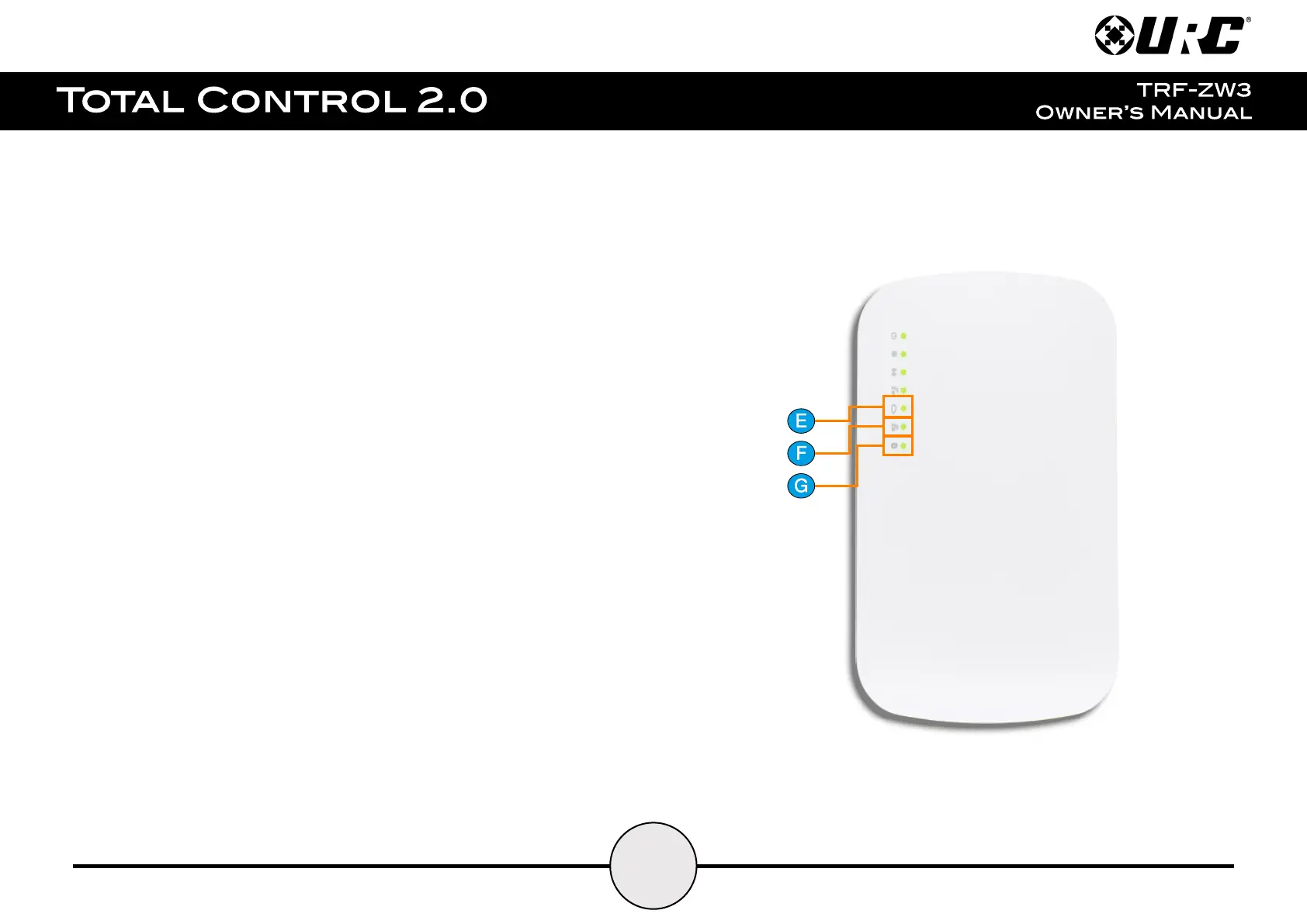
e. Service LED: Provides information on the status of the cloud service.
Three (3) available states:
● LED On: Cloud service is connected and working properly
● LED Off: No Cloud service installed
● Flashing: Cloud service is not sending data properly.
f. ZigBee LED: Provides information on the status of the ZigBee radio.
Four (4) available states:
● LED On: Function has been enabled
● LED Off: Function has been disabled
● LED Flashing (slow): The gateway is in “inclusion” (pair) mode
● LED Flashing (fast): ZigBee device was successfully included (added)
g. Bluetooth LED: Provides information on the status of the Bluetooth radio.
Four (4) available states:
● LED On: Function has been enabled
● LED Off: Function has been disabled
● Flashing (slow): Gateway is in scan mode
● Flashing (fast): Gateway is in “inclusion” (pair) mode
● Flashing (very fast): Bluetooth device was successfully paired


 To Next Page