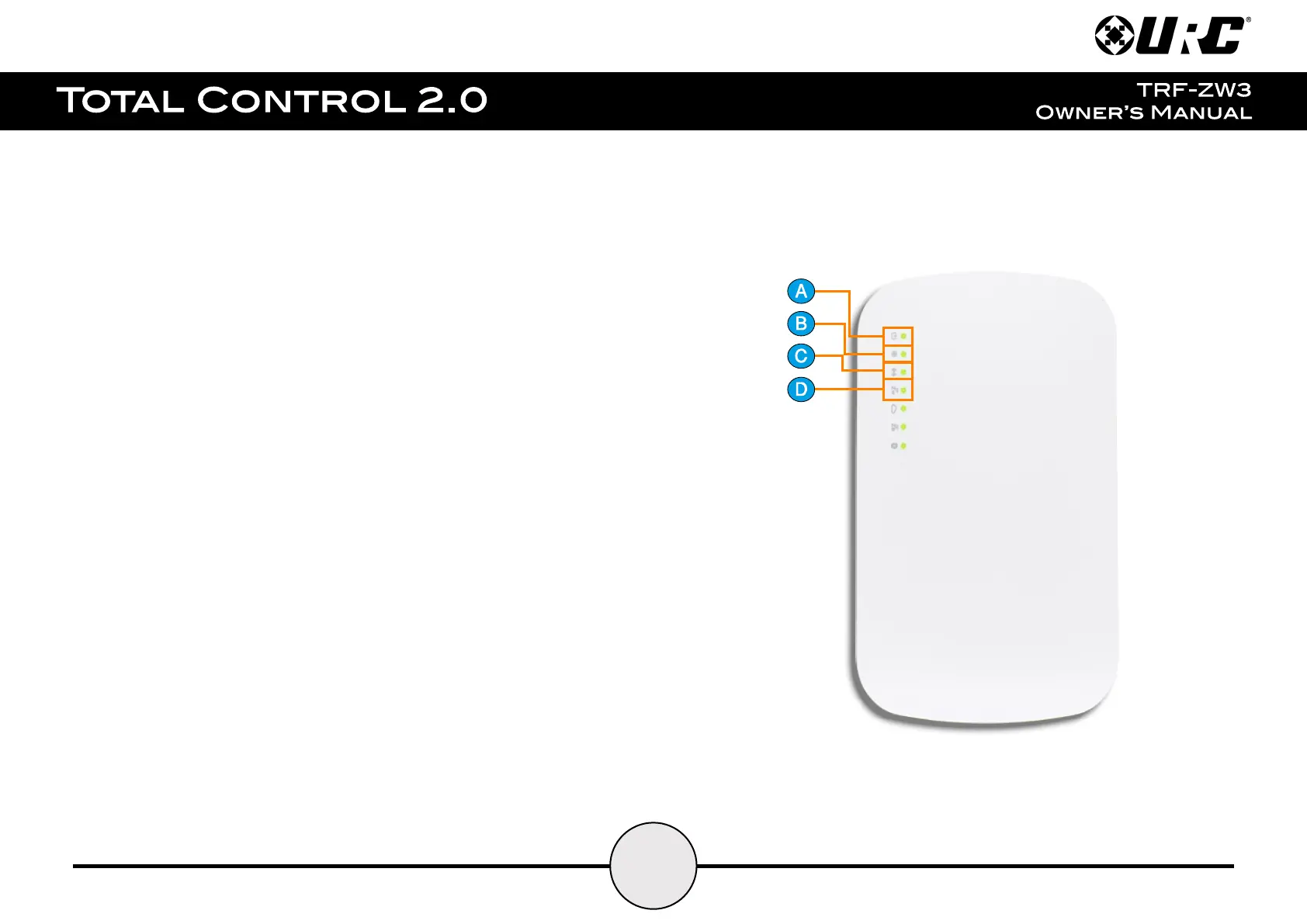
LED Indicator Lights:
There are seven (7) indicator lights on the TRF-ZW3, below are their potential values:
a. Power LED: Three (3) available states:
● LED On: Indicates the device is powered on.
● LED Off: Indicates the device is powered off.
● LED Flashing: Indicates that a firmware update is in progress.
b. Internet LED: Three (3) available states:
● LED On: Gateway is connected via Ethernet.
● LED Off: Gateway is not connected via Ethernet.
● LED Flashing: Gateway cannot connect to the Internet.
c. Wi-Fi LED: Three (3) available states:
● LED On: Wi-Fi enabled.
● LED Off: Wi-Fi disabled.
● LED Flashing: WPS is active.
d. Z-Wave LED: Four (4) available states:
● LED On: Z-Wave radio is enabled.
● LED Off: Z-Wave radio is disabled.
● LED Flashing (slow - once per second): The device is in inclusion (pair) mode.
● LED Flashing (fast - twice per second): The device is in
exclusion (remove) mode.


 To Next Page