How to Use
Using The Pro 2
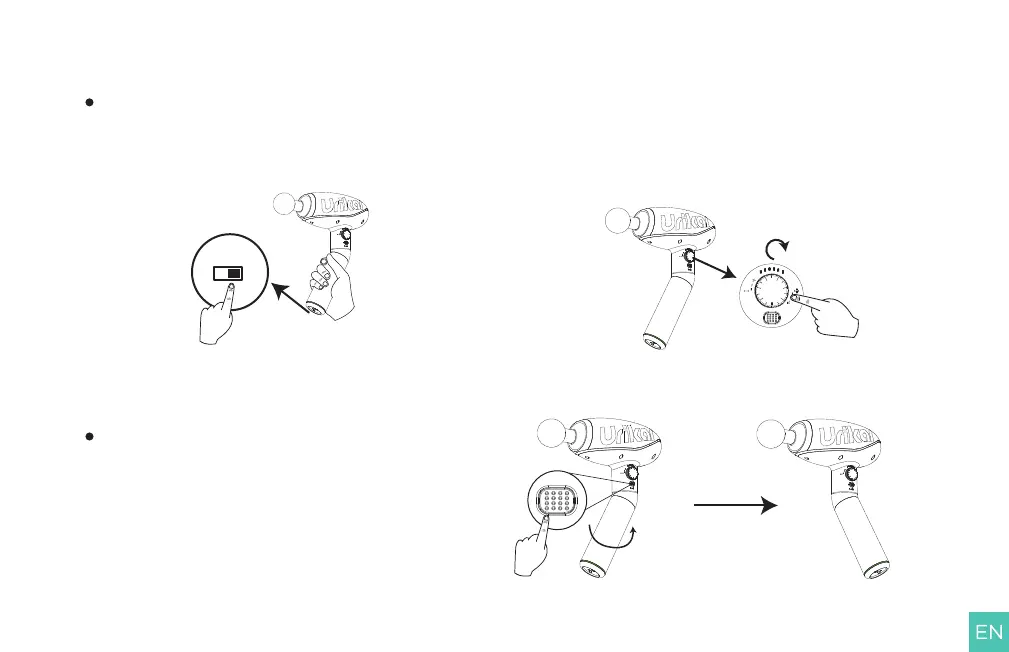
1. Turn on the power switch ① and the message gun is in standby state.
2. Adjust the speed knob③, and the massage gun starts to work
(Adjust the mode and speed according to your physique and
preferences).
Choose Angle of Handle
Hold handle-rotation button ④ to change the angle of the handle
(180°rotatable), which is convenient for massaging the back
muscles.
Note: You can hear a click when the rotation is completed.
NO OFF
02



 To Next Page