EasyManua.ls Logo

urmet domus 1719/1 User Manual

urmet domus 1719/1
48 pages
Go to English
To Next Page IconTo Next Page
Page #1 background imageLoading...
Page #1 background image
DS 1719-001A LBT 20484
Mod.
1719
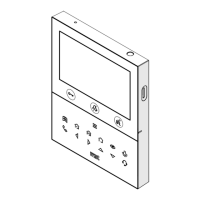
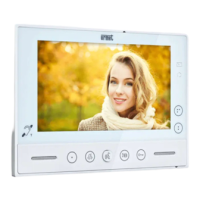
VIDEOCITOFONO 7” SOFT TOUCH 2VOICE
2 VOICE VIDEO 7” SOFT TOUCH
MONITEUR 7’’ SOFT TOUCH 2VOICE
VIDEOINTERFONO 7” SOFT TOUCH 2VOICE
7”- SOFT TOUCH-VIDEOSPRECHANLAGE 2VOICE
Sch./Ref. 1719/1
LIBRETTO DI INSTALLAZIONE ED USO
INSTALLATION AND USE MANUAL
NOTICE D’INSTALLATION ET D’UTILISATION
MANUAL DE INSTALACIÓN Y USO
INSTALLATIONS- UND GEBRAUCHSANLEITUNG

Table of Contents

Question and Answer IconNeed help?

Do you have a question about the urmet domus 1719/1 and is the answer not in the manual?

urmet domus 1719/1 Specifications

General IconGeneral
Brandurmet domus
Model1719/1
CategoryIntercom System
LanguageEnglish

Summary

Product Description

System Structure Overview

Detailed Button Functions

Explains functions of door lock, garage door, audio, mute, and configurable buttons.

Dip-Switch Settings

Details dip switch functions for mode, apartment, and station number configuration.

Installation Guide

Mounting Bracket Installation

Instructions for fixing the mounting bracket using screws and wall boxes.

System Wiring and Connection

Details programming dip-switches and connecting system wires to terminal boards.

Terminal Block Descriptions

Terminal Board A Connections

Details terminals for floor call, ringer, common, and Yokis outputs.

Button Functionality Details

Audio Operation States

Explains button functions during audio operation, including mute and push-to-talk.

OSD Menu Settings

OSD Menu Access and Adjustment

Instructions on how to access and adjust OSD menu parameters like brightness and color.

Mute Functionality

Mute Activation and Effects

Details how to mute the ring tone and its impact on auditory feedback.

Programming Mode Access

Programming Mode Entry and Exit

Steps to enter and exit programming mode by pressing and holding a button.

Intercom Address Acquisition

Intercom Address Setup

Guides on acquiring an intercom address via programming mode or direct call.

Push-to-Talk Audio Activation

Device Settings Reset

Factory Reset Procedure

Instructions to restore default parameters by holding specific buttons.

Yokis Button Configuration

Button Functionality Summary

Technical Specifications

Related product manuals