EasyManua.ls Logo

urmet domus 1730/60 - User Manual

urmet domus 1730/60
2 pages
Print Icon
To Next Page IconTo Next Page
Loading...
DS1730-008
Mod.
17
30
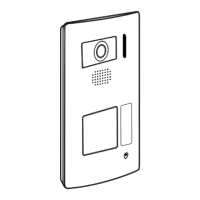
SCATOLA INCASSO SCH. 1730/60 PER PULSANTIERA
EMBEDDING BOX REF. 1730/60 FOR OUTDOOR STATION
Installazione ad incasso per pulsantiera modello 1730/51
Flush-mounting installation for 1730/51 outdoor station type
1
Fori per passaggio cavi
Cable passage holes
2
Viti per fissare la piastra sulla scatola
Screws for fixing the framework on the box
3
Vite per fissare il frontale della pulsantiera
sulla piastra
Screws for fixing the outdoor station front
side on the framework
4
Chiave per apertura/chiusura blocco frontale
Front side opening / closing key
Blocco frontale
Front side
Scatola incasso
Embedding box
Piastra
Framework
Altezza di
installazione
consigliata
Recommended
installation
height

Other manuals for urmet domus 1730/60

Questions and Answers

  • K
    kimberly73Aug 8, 2025
    What to do if the Urmet Domus Network Hardware app remains in OFF LINE status?
    • D
      Dawn HallAug 8, 2025
      If the Urmet Domus Network Hardware app shows an OFF LINE status, ensure that both your phone and the router, configured with the video door phone system, are connected to the Internet.
  • S
    scott07Aug 12, 2025
    What to do if I am not receiving calls on my Urmet Domus Network Hardware?
    • C
      clarkjamieAug 12, 2025
      If you are not receiving calls on your Urmet Domus Network Hardware, try deactivating and then reactivating alerts on your phone. Also, check the Mode menu to see if there are any programmed time slots set to block alerts.
  • N
    nhowellAug 17, 2025
    What to do if the Urmet Domus Network Hardware device is offline after a power failure?
    • Z
      zduarteAug 17, 2025
      If your Urmet Domus Network Hardware device is offline following a power failure, remove and then restore power to the monitor with the WiFi module. First, make sure your router is powered on.
  • S
    Sandy LawsonAug 21, 2025
    Why is there no connection at the end of the pairing procedure for Urmet Domus Network Hardware?
    • C
      Christine MckinneyAug 21, 2025
      If you experience no connection at the end of the pairing procedure with your Urmet Domus Network Hardware, verify that your smartphone is connected to a WiFi router and not directly to the module. Additionally, try displaying both the enlarged QR code and the QR code on another phone next to the ID code on the Edit page without clicking.
  • N
    Nicholas Deleon MDAug 25, 2025
    What to do if the audio/video connection does not open after a call (black screen) on Urmet Domus Network Hardware?
    • A
      Ashley AndersenAug 26, 2025
      If the audio/video connection does not open and you see a black screen after a call on your Urmet Domus Network Hardware, exit the LIVE page and re-enter by turning on the camera.
  • M
    Marc ArmstrongAug 30, 2025
    Why am I having problems receiving calls on my Urmet Domus Network Hardware?
    • J
      juan33Aug 30, 2025
      If you are experiencing problems receiving calls on your Urmet Domus Network Hardware, ensure that the app is not completely closed; it needs to run in the background.
  • P
    Paul ShepardSep 3, 2025
    What to do if the Urmet Domus Network Hardware app does not open?
    • T
      tyler44Sep 3, 2025
      If the Urmet Domus Network Hardware app isn't opening, check that your smartphone's operating system meets the minimum requirements: Android above version 8 or iOS above version 10. If the operating system is compatible, uninstall the app and reinstall it by downloading the version available in your country.

urmet domus 1730/60 Specifications

General IconGeneral
Brandurmet domus
Model1730/60
CategoryIntercom System
LanguageEnglish

Related product manuals