EasyManua.ls Logo

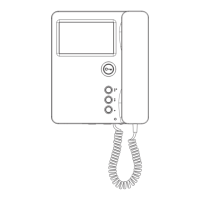
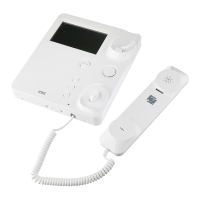
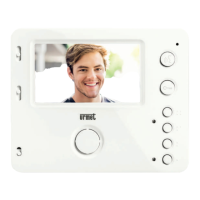
urmet domus 1750/16 User Manual

urmet domus 1750/16
52 pages
Go to English
To Next Page IconTo Next Page
Page #1 background imageLoading...
Page #1 background image
DS 1750-014B LBT 20577
Mod.
1750
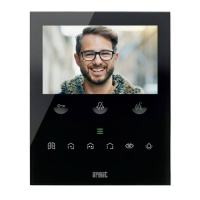
VIDEOCITOFONO MIRO VIVAVOCE YOKIS
VIDEO HOUSEPHONE MIRO HANDS-FREE YOKIS
MONITEUR MIRO MAIN-LIBRES YOKIS
VIDEOINTERFONO MIRO MANOS LIBRES YOKIS
VIDEOSPRECHANLAGE MIRO VIVAVOCE YOKIS
VIDEO-INTERCOM MIRO VIVAVOCE YOKIS
Sch./Ref.1750/15 (Nero, Black, Noire, Negro, Schwarz, Zwart)
Sch./Ref.1750/16 (Bianco, White, Blanc, Blanco, Weiß, Wit)

Table of Contents

Question and Answer IconNeed help?

Do you have a question about the urmet domus 1750/16 and is the answer not in the manual?

urmet domus 1750/16 Specifications

General IconGeneral
Brandurmet domus
Model1750/16
CategoryIntercom System
LanguageEnglish

Summary

Description of Components and Features

Installation

Terminal Pins Description

Button Functions

Indicator LEDs

Details the functions and states of the indicator LEDs on the device.

Reset Functionality

Procedure to restore default parameters of the video door phone device.

Operation with a Hearing Aid

Mute Ring-Tone Speaker

Activating Audio by Pressing the (Push to Talk Mode) Button

Configuration of the Two Yokis Buttons

Configuration via the Yokis Pro App

Configure Yokis buttons using the YOKIS PRO Installer App for the video housephone.

Configuration Without the Yokis Pro App

Configure Yokis buttons without the YOKIS PRO app, setting them as a two-button remote control.

Radio Bus Configuration

Creating a Radio Bus Between Receivers

Procedure to establish a wireless communication bus between Yokis receivers.

Centralisation via Radio Bus

Steps to create a centralized control system using the radio bus.

Define Button Function

Technical Specifications

Key to Symbols

Simplified EU Declaration of Conformity

Related product manuals