Power Off Status
System Status
Software Upgrade With System Start-up
3. How to connect a device to your UROZETTA Wifi Network
1)WiFi Network Manual Connection
a) Find the SSID and KEY displayed on the bottom label of the UROZETTA WiFi
device
b) Enter the SSID and KEY found on the network connection of your phone or
other device you want to connect to successfully connect to the network.
Note: If the SSID and KEY displayed on the bottom label of the device are worn
off and cannot be viewed clearly, you can start the UROZETTA WiFi device and
view it in "Home"-> "Network"-> "WLAN"
4. 2). Code Scan Connection (Camera Scanning / Wechat Scanning)
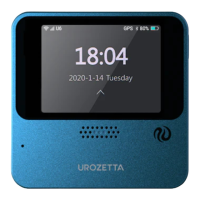
a) Start up your UROZETTA WiFi device and enter the homescreen
b) Click the "I want to connect " button at the bottom right of the screen to enter


 To Next Page