EasyManua.ls Logo

UROVO DT50S - User Manual

UROVO DT50S
72 pages
Print Icon
To Next Page IconTo Next Page
Loading...
USER GUIDE
DT50S User Guide

Questions and Answers

Summary

Getting Started with DT50 S

Unpacking the Device

Instructions for unpacking the device and checking its contents.

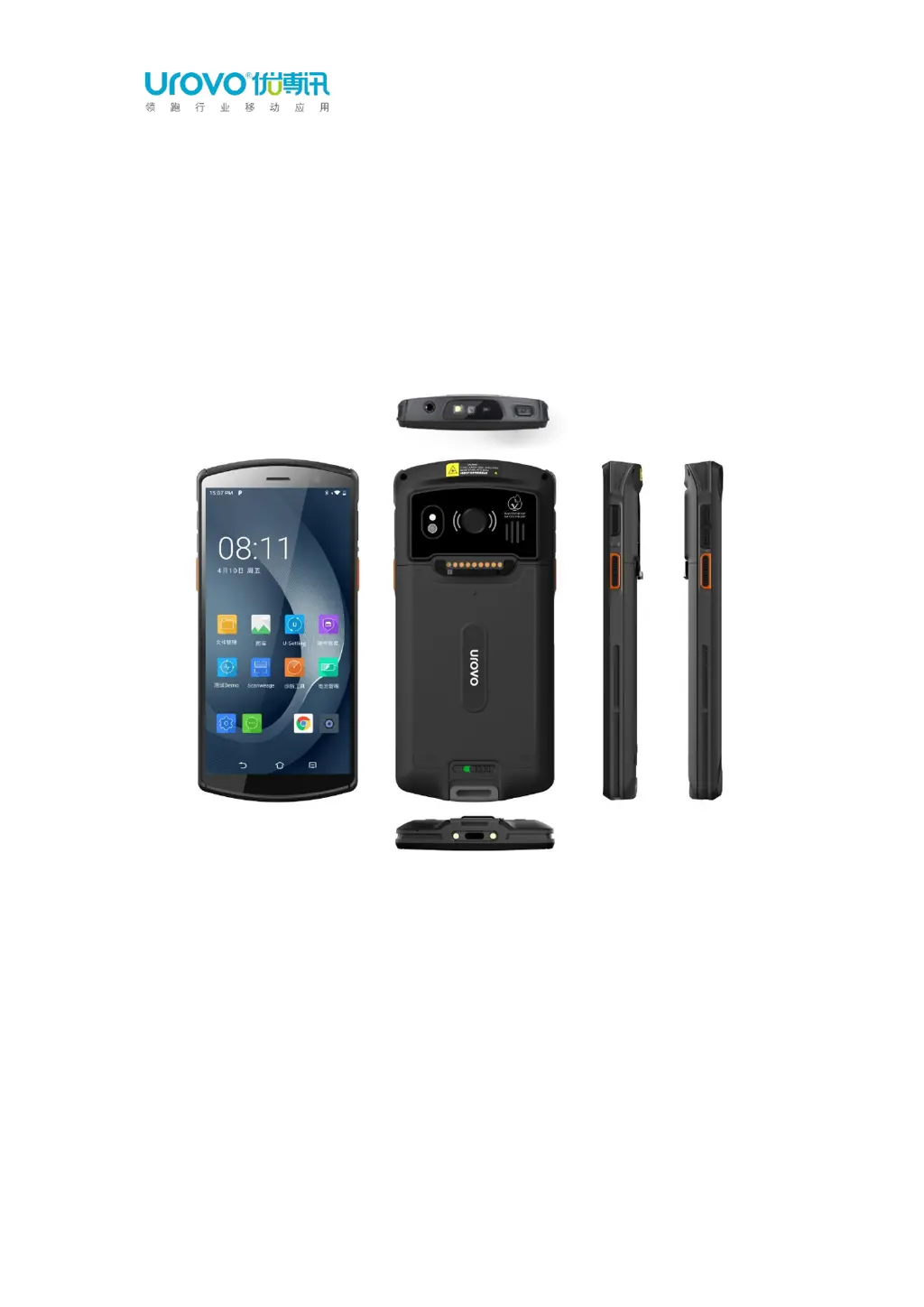
Device Appearance Overview

Details the physical aspects of the DT50S device from different views.

Installation Guide

Guide on installing battery, SIM/TF cards into the device.

Battery Charging Precautions

Important warnings and precautions regarding battery charging.

DT50 S Device Settings Configuration

Accessing Device Settings

Methods to access the device's main settings menu.

WLAN Network Configuration

Steps to connect to and manage Wi-Fi networks on the device.

Display Settings Customization

Settings related to screen brightness, timeout, and rotation.

Resetting Device Preferences

How to restore the device to factory settings or reset specific preferences.

Scan Settings Configuration

Configuring the device's scanning engine and parameters.

DT50 S Application Usage

Accessing Applications

How to navigate and open applications on the device.

System App Profiles

Details on system applications and their functions.

Enterprise Launcher Management

Using and configuring the enterprise launcher for device management.

U Stage Configuration Synchronization

Synchronizing device configurations using the U Stage program.

WIFI Diagnosis and Troubleshooting

Tools for analyzing and troubleshooting Wi-Fi connections.

DT50 S Accessories Guide

Standard Accessories List

Details the standard accessories included with the DT50S device.

Optional Accessories List

Information on optional accessories available for the DT50S.

DT50 S Maintenance and Troubleshooting

Device Maintenance Guidelines

Guidelines and instructions for maintaining the DT50S device.

Cleaning Procedures

Procedures for cleaning the device's housing, screen, camera, and window.

Troubleshooting Common Issues

Common problems and their solutions for the DT50S device.

UROVO DT50S Specifications

General IconGeneral
BrandUROVO
ModelDT50S
CategoryCell Phone
LanguageEnglish