NOTE:The laser will switch off after 20 seconds
of inactivity. If a measurement has not been
make within the previous 20 seconds, push
key again to turn on the laser.
WARNING: Do not point the laser dot at
persons or animals and do not stare into the
laser beam or view directly with optical instru-
ments.
CLEAR FUNCTION
Push
key to erase the current measure-
ment and display the previous measurement.
In Area, Volume and Pythagorean Theorem
measurement mode continuously press the
clear key to go back to the single distance mea-
surement mode.
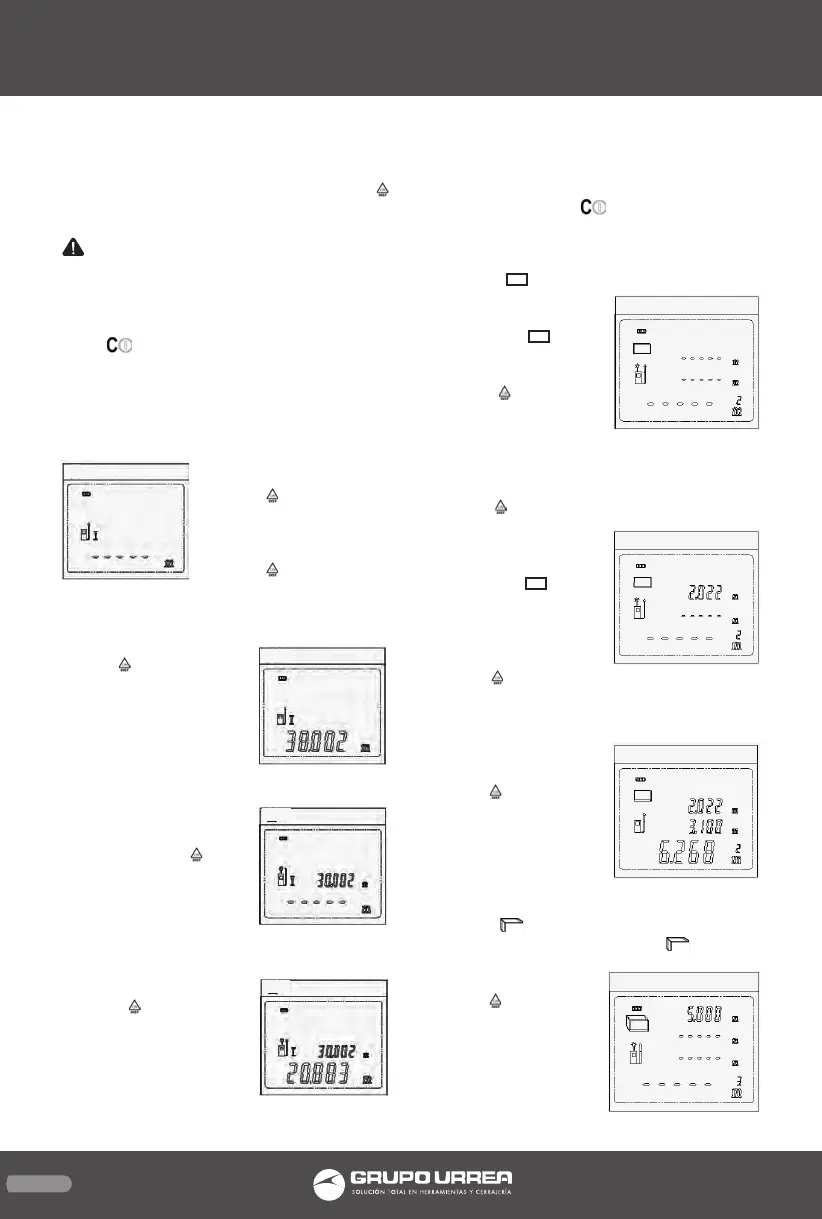
SINGLE-DISTANCE MEA-
SUREMENT
1. Press
key to turn on
the tool, it will de-
fault to single-distance
measurement
2. Press
key to turn on
the laser, the laser indica-
tor will blink. Aim the la-
ser at the target you
want to measure.
3.Press
key again to
take a measurement.
4. The result of measu-
rement is shown in the
lowest row of the screen
in large numerals, and
the laser beam switches
off.
5. To take a second mea-
surement, Press
key
to turn on the laser
again, and the rst mea-
surement data will show
in the upper row of the
screen.
6. Aim ate the new tar-
get.
7. Press
key again to
take a second measure-
ment.
8. The second length is
shown in the lowest row
of the screen, and the
laser beam switches off.
9. To take a new measurement, follow steps
5 through 8, above.NOTE: Ff after choosing
Area, Volume or Pythagorean Theorem measu-
rement modes, press
key to switch back to
single-distance measurement mode.
AREA MEASUREMENT
1. Press
key to
choose area measure-
ment mode; the blin-
king line in
”icon
indicates the length to
be measured.
2. Press
key to turn
on the laser beam; the
laser indicator will
blink.
3. Position the tool to aim the laser dot at the
target to which you want to measure.
4. Press
key to dis-
play the measured
length in rst row of
the screen the width
line in the
cicon
will start to blink.
5. Position the tool to
aim the laser dot at
the width target.
6. Press
key again to
display the area in the lowest row of the
screen; the width will
be displayed at the
same time in the se-
cond row.
7. Press
key to make
a new
measurement.
VOLUME
MEASUREMENT
1. Press
key to choose volume measure-
ment mode. The blinking line in
icon indi-
cates the length to be
measured.
2. Press
key to turn
on the laser beam; the
laser indicator will
blink.
15
ENGLISH•User’s manual


 To Next Page
 Loading...