USE YOUR E-BIKE
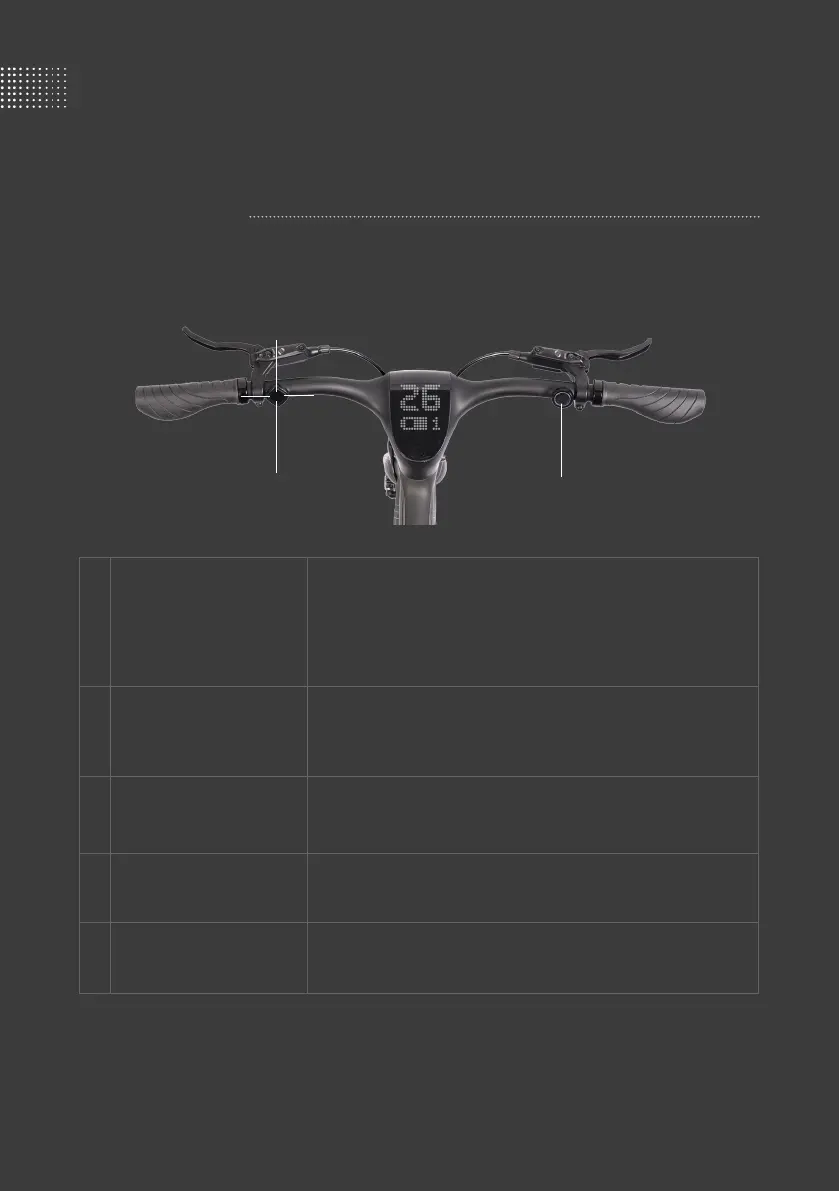
Smartbar Basics
· Press to unlock and power on (once fingerprint recorded)
· Long press for 2 seconds to unlock (if no fingerprint recorded.
However, anti-theft features unavailable without fingerprint records)
· After unlocking, press for horn beeps
· Press and hold for voice control
· Press to speed up
· Long press for 2 seconds to enter Turbo mode (press either Up or
Down key to exit Turbo mode)
· Press to speed down
· Long press for 2 seconds to enter Standby mode
· Press to indicate a left turn
· Long press 2 seconds to turn lights on/o
· Press to indicate a right turn
· Press and hold to enter Walk mode, release to exit
Fingerprint button
Control pad - Up
Control pad - Down
Control pad - Left
Control pad - Right
①
①
②
②
③
③
④
④
⑤
⑤


 To Next Page