English
5
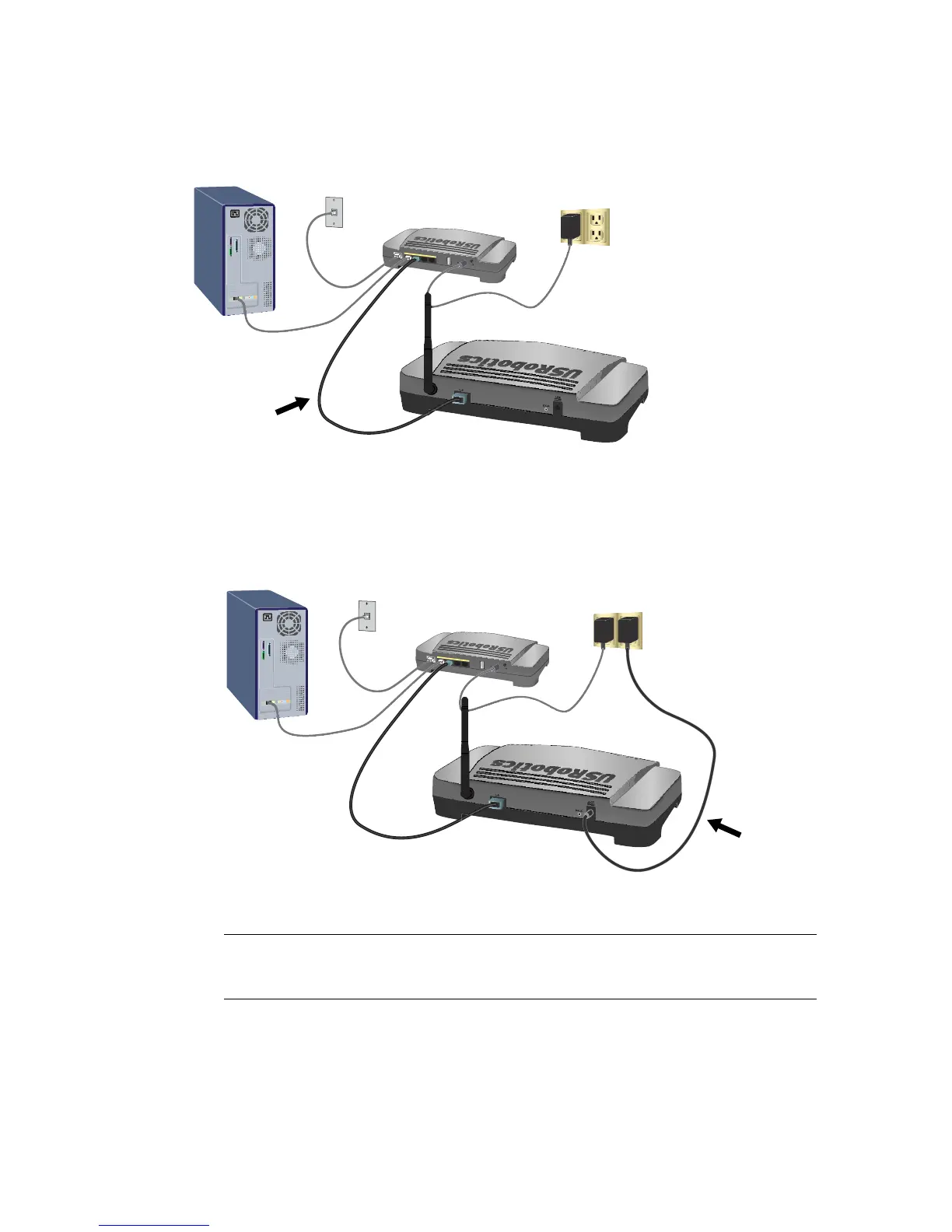
2. Connect the provided antenna to the access point if it is not already con-
nected.
3. Use the supplied Ethernet cable to connect the LAN port on the access point
to a LAN port on your networking device.
4. Supply power to the access point:
A. Connect the supplied power adapter to the 9VDC port on the access
point.
B. Plug the power adapter into a standard power outlet.
Step Two: Configure the Basic Settings
To configure the basic settings using an operating system other than Windows,
see the installation section in the User Guide on the USRobotics Installation CD-
ROM.
Note:
This product is intended to be supplied by a Listed Direct Plug-
in Power Unit marked Class 2 and rated 9VDC, 1.2A.
W
A
N
1
2
3
4
1
5
V
D
C
R
e
s
e
t
U
S
B
S
e
c
u
re
E
a
s
y
S
e
t
u
p
Re
set
5VDC
WA
N
1
2
3
4
1
5
V
D
C
R
e
s
e
t
U
S
B
S
e
c
u
re
E
a
sy
S
e
t
up
R
e
s
e
t
5
V
D
C



 To Next Page