
 Need help?
Do you have a question about the US Robotics usr5461 and is the answer not in the manual?
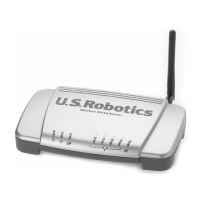
Steps to connect the Wireless MAXg Router to your computer and modem.
Instructions for configuring basic connection settings using the Setup Wizard.
Steps to confirm successful internet connectivity after configuration.
Resolving issues where the Setup Wizard cannot detect the internet connection.
Troubleshooting steps when the router is connected but no internet is available.
Solutions for when the router's web interface is inaccessible but internet works.
Steps to resolve problems connecting wirelessly to the MAXg Router.
Troubleshooting wireless connectivity after changing router settings.
Addressing issues with weak wireless signal strength or range.
 General
| Frequency Band | 2.4 GHz |
|---|---|
| Maximum Data Rate | 54 Mbps |
| Security | WEP, WPA, WPA2 |
| Antenna | External |
| Antennas | 1 |
| Wireless Standard | IEEE 802.11g, IEEE 802.11b |
| Ports | 1 x 10/100 Mbps WAN |

 To Next Page
