55
6. Définissez le volume du micro de
Windows 2000.
Si vous utilisez Windows XP, allez à l'étape 8.
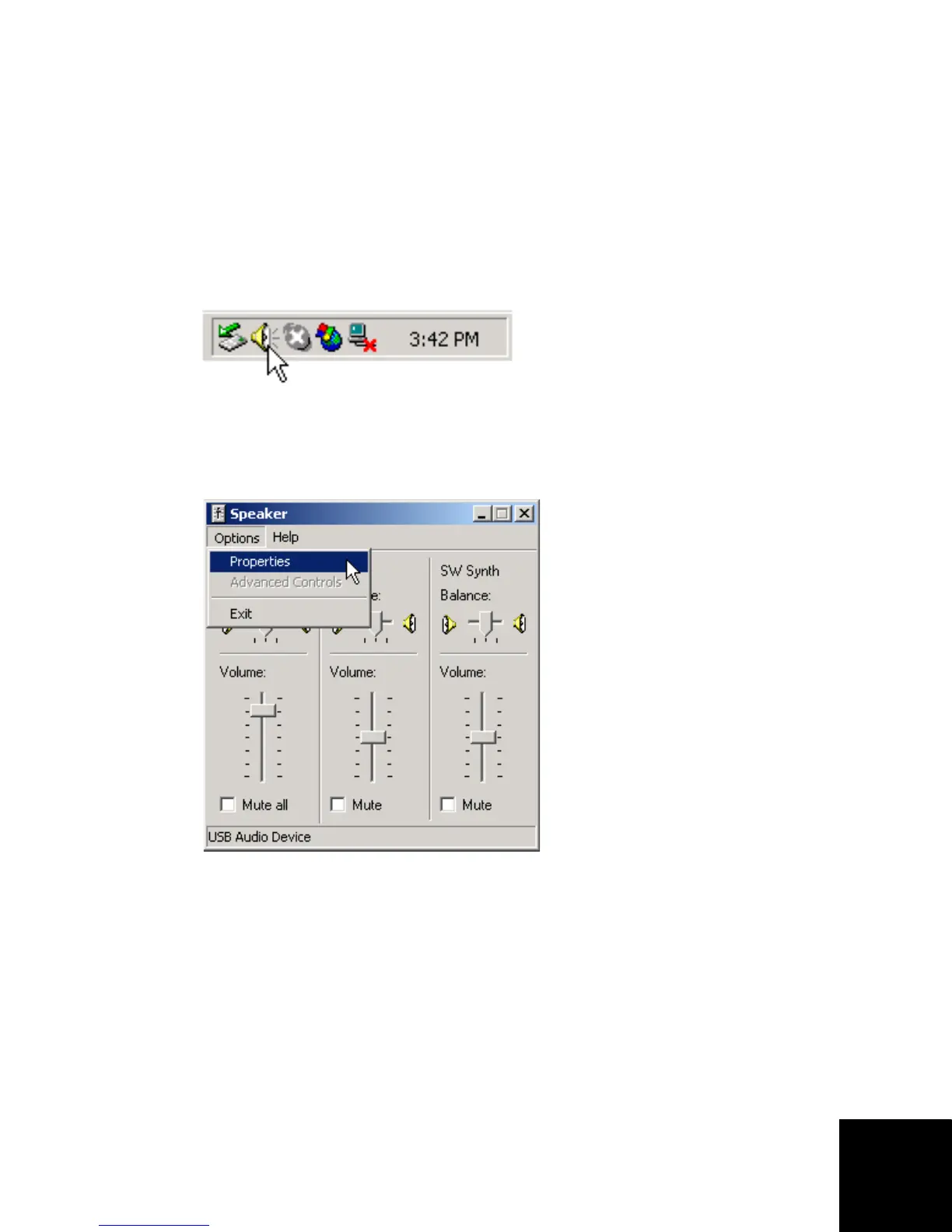
A. Double-cliquez sur l'icône Volume dans la barre
système.
B. Dans le menu Options, sélectionnez Properties
(Propriétés).
C. Sélectionnez le micro :
1. Assurez-vous que USB Audio Device est
sélectionné.
2. Sélectionnez Recording (Enregistrement).
3. Sélectionnez Microphone.



 To Next Page