 To Next PageTo Next Page
 Need help?
Do you have a question about the US Water Systems Matrixx inFusion 081-IF Series and is the answer not in the manual?
 General
| Brand | US Water Systems |
|---|---|
| Model | Matrixx inFusion 081-IF Series |
| Category | Water Dispenser |
| Language | English |
Comply with codes, handle system with care, use proper electrical connections.
Avoid freezing, weather, direct sunlight. Ensure proper grounding and plumbing.
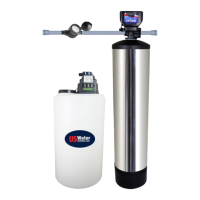
Uses H2O2 for total iron and sulfur eradication, safer than chlorine.
H2O2 oxidizes iron/sulfur; pump injects it based on water meter pulses.
Catalytic Carbon media filters oxidized contaminants; backwashed periodically.
Secure distributor tube, add gravel, then Catalytic Carbon media.
Install upper basket, place over distributor tube, and thread valve onto tank clockwise.
Connect drain hose to valve, secure with clamp, run to drain with no dips/kinks.
Direct connection to waste drain not recommended; use air gap for bacteria prevention.
Install pump mounting bracket on the back of the solution tank using screws.
Mount chemical injection pump onto the installed bracket using provided screws.
Install weighted suction screen on tubing, push down to 1" from tank bottom.
Install tubing on pump outlet, orient sleeve, hand tighten nut. Outlet is marked.
Connect other end of suction tube to pump inlet, ensuring sleeve is correctly oriented.
Connect pump outlet tubing to injection check valve, orient sleeve, hand tighten.
Connect black wires together and red wires together using wire nuts or splices.
Plug in pump, set to '5 SECONDS' and 50% if not already configured.
Hold Mode/%, or Mode/STBY to unlock/exit standby. Use arrows to adjust settings.
Set Time of Day, Backwash Frequency, and Regeneration Time via dashboard.
Use visual bubble method to set H2O2 injection rate for optimal oxidation.
WARNING: Do not install battery backup until system programming and startup are complete.