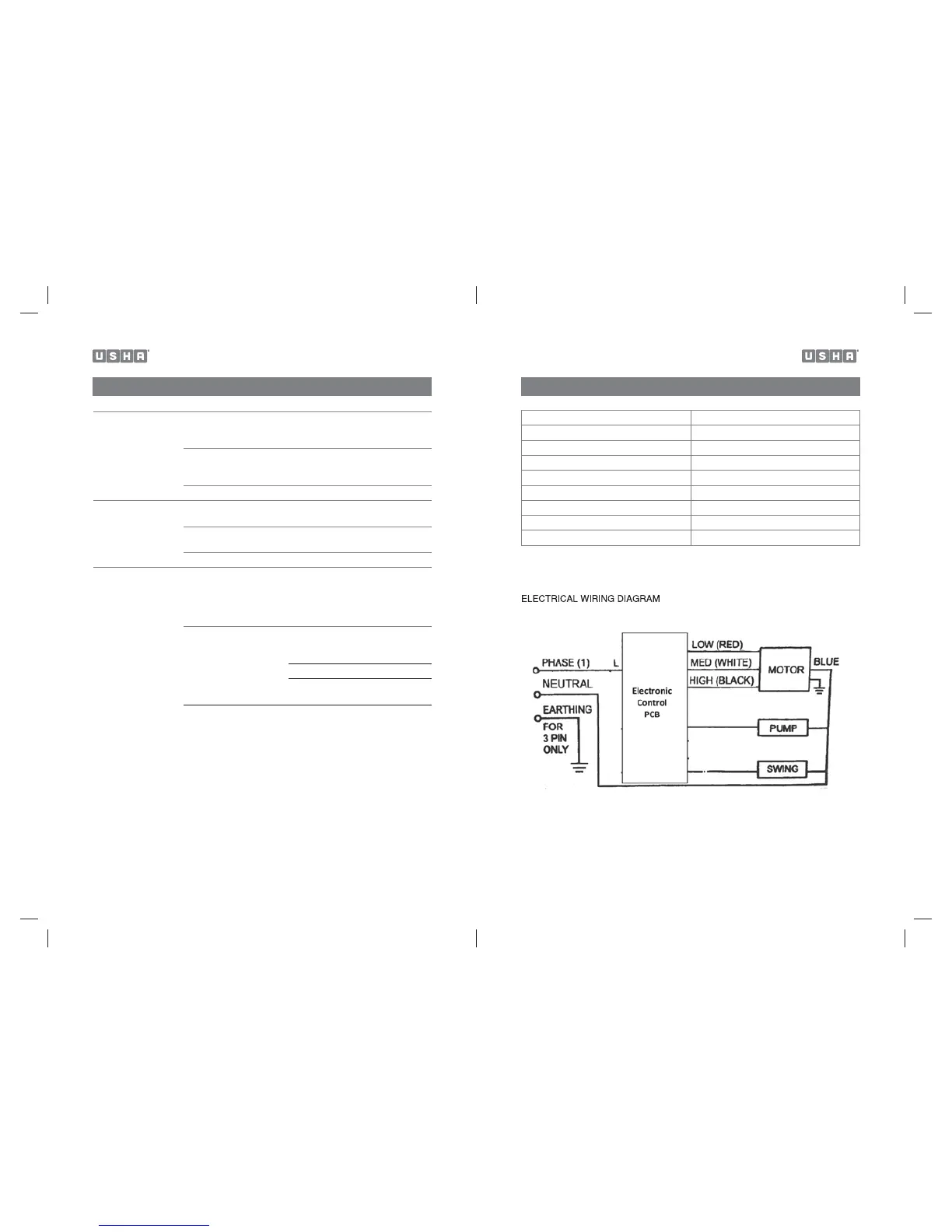
TECHNICAL SPECIFICATIONS
Model No. CD 504 A / 704A
Voltage 230V
Frequency 50Hz
Wattage 190 Watts
Water Tank Capacity 50 L / 70 L
Cooling Media Honeycomb
Product Dimension CD 504A 685 (L) x 460(W) x 1080(H)
Product Dimension CD 704A 685 (L) x 460(W) x 1166(H)
Net Weight 17.5 Kg (CD 504) / 18.1 Kg (CD 704)
1918
TROUBLESHOOTING GUIDE
No discharge of air Cord is not plugged in Make sure power cord is
plugged in and the supply switch
is on.
Power is not on Turn the unit ON by changing
the mechanical knob position of
the control panel
Motor Faulty Contact Service centre
Not Cooling / Unit is
making noise
Pump is not turned ON On control Panel. Turn COOL
FUNCTION TO “ON”
Low or no water in tank,
when COOL is selected
Refill water tank.
Damaged Pump Contact service centre.
Odor omission When the Cooler is new When the unit is used for the first
time, the Honeycomb Cooling
Media will have an odor, which
will dissipate within a week of
initial use. This is normal.
If the Cooler has been
used. There may be an
algae issue.
Water is stale Clean the tank
and fill with fresh water.
Clean the Honeycomb Media.
If problem persists contact the
service centre.


 To Next Page