EasyManua.ls Logo

Usogood DL502 - User Manual

Usogood DL502
84 pages
Print Icon
To Next Page IconTo Next Page
Loading...
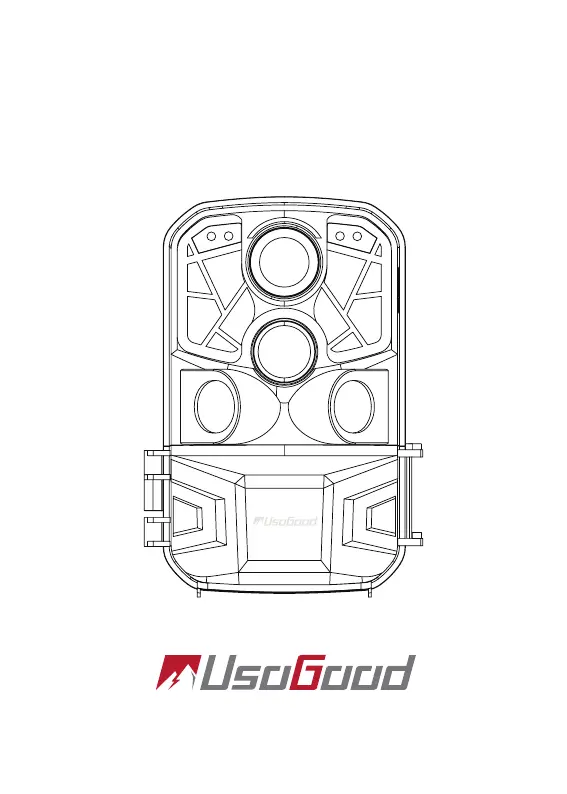
Hunting Camera with Remote Wi
DL502 Trail Camera
User’s Manual

Questions and Answers

  • K
    Kathleen NunezAug 4, 2025
    What to do if my Usogood DL502 Scouting Camera does not take images or record videos?
    • W
      wsimmonsAug 4, 2025
      If your Usogood Scouting Camera isn't capturing images or videos, several factors could be at play. First, verify that the batteries aren't low. Next, ensure an SD card (class 10 or higher, up to 128GB) is properly inserted and formatted. Confirm the switch is in 'ON' mode, noting the screen turns off after a 5-second countdown to enter working mode, after which the camera waits for a 'PIR interval time' before standby. Also, remember the camera enters a static, non-triggered state after each photo or recording. Finally, consider the subject's proximity; smaller animals need to be closer to trigger the camera.
  • W
    Wanda MitchellAug 9, 2025
    Why does my Usogood DL502 turn off automatically?
    • Z
      zacharyjohnsonAug 9, 2025
      Your Usogood Scouting Camera might be turning off automatically due to a low or exhausted battery. Try replacing the batteries for outdoor use or connecting a 6V DC adapter (3.5*1.35mm power interface) for indoor use. SD Card and SD Card holder issues can also cause this problem.
  • M
    Mr. Darrell Singleton MDAug 14, 2025
    How to fix 'SD card Error' on Usogood DL502 Scouting Camera?
    • L
      Lori BeckerAug 14, 2025
      To resolve the 'SD card Error' on your Usogood Scouting Camera, first ensure your SD card is class 10 or higher. If it is, format the SD card on your computer, then format it again after inserting it into the camera. If the issue persists, try replacing the SD card with another one.
  • M
    Matthew LoveAug 19, 2025
    How to improve night vision on Usogood Scouting Camera?
    • J
      John LangAug 19, 2025
      If the night vision on your Usogood Scouting Camera is poor, check the battery level, as night shots consume more power due to the IR LEDs. Also, consider the subject's distance; distant subjects like plants or small animals may appear fuzzy.
  • G
    gloria19Aug 25, 2025
    How to fix unclear images on Usogood Scouting Camera?
    • M
      Mary DavisAug 25, 2025
      To get clearer images with your Usogood Scouting Camera: * Set the resolution to high. * Shorten the shooting distance. * Avoid taking photos in rainy or foggy weather. * Ensure you've removed the protective films on the IR LEDs and lens.
  • H
    hesterhannahAug 29, 2025
    How to turn on Usogood DL502?
    • S
      Susan PowellAug 29, 2025
      If your Usogood Scouting Camera won't turn on: * Check that the batteries are correctly installed. * Replace low or exhausted batteries with 8x 1.5V brand new AA batteries. * Ensure the switch is in 'ON' mode. Use 'SETUP' mode for settings, then switch to 'ON' mode; the screen turns off after 5 seconds to enter working mode.

Summary

Packing List

Introduction

Appearance

Preparing The Camera

Using The Camera And Setup Menu

Camera Operating Modes

Explains the OFF, SETUP, and ON modes for camera operation and basic interaction.

Core Camera Settings

Configures camera modes, photo/video resolutions, multi-shot, and universal key functions.

Advanced Settings and Features

Details video length, audio, PIR intervals, sensors, timers, language, and date/time settings.

System Configuration and Security

Covers photo stamps, password protection, beep sound, memory formatting, and camera ID.

WIFI and APP

WiFi Configuration and Connection

Set WiFi SSID/Password, check version, and connect to the app.

Media Playback and File Management

View media via playback/slideshow, delete files, and apply write-protection.

App Usage and WiFi Exit

Use app features, and exit WiFi connection safely.

Mounting

Adjustable Web Belt Mounting

How to attach the camera using the provided adjustable web belt.

Tripod Socket Mounting

Instructions for mounting the camera using its tripod socket.

Enter ON Mode

Technical Specifications

Image; Data Output

TV Connection

How to transmit video and images to an external monitor or TV set.

Computer Data Export

Steps to connect to a computer and export photos/videos from the camera.

Simple Trouble Shooting

Camera Power and Startup Problems

Solutions for issues where the camera fails to turn on or turns off unexpectedly.

SD Card Error Resolution

Troubleshooting steps for 'SD card Error' messages.

Video and Image Quality Issues

Tips for resolving choppy videos and unclear images.

Recording Functionality Problems

How to fix issues where the camera fails to capture images or videos.

Night Vision and Connectivity Issues

Addressing poor night vision performance and WiFi/Bluetooth connection problems.

Usogood DL502 Specifications

General IconGeneral
BrandUsogood
ModelDL502
CategoryScouting Camera
LanguageEnglish

Related product manuals