
 Need help?
Do you have a question about the USOUND HELIKE 1.0 UA-E3010 and is the answer not in the manual?
Configure acoustic response using JSON files, tuning response with four blocks.
Implement digital biquadratic filters using feedforward and feedback coefficients.
Utilize built-in dynamic range compressor with leveler and limiter settings.
Convert JSON configuration files to .bin format for MicroSD card usage.
Copy .bin files to MicroSD for loading configuration at startup.
Control volume and playback in SD card mode; adjusts volume in I2S mode.
System reset via SW1; enter DFU mode via SW3 for firmware updates.
Four LEDs indicate audio frame status, volume/mute, MicroSD card presence, and I2C failures.
Update firmware using DfuSe software via USB-C connection.
Addresses issues like device not being detected by DfuSe software.
Use SWD for personalized firmware programming and debugging.
Troubleshoot .wav file playback issues on MicroSD card.
Addresses potential acoustic cancellation due to DAC polarity inversion.
Example of generating and copying biquad filter coefficients for acoustic tuning.
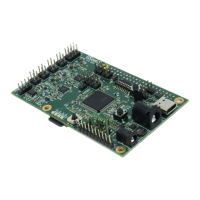
Shows component placement and supply jumpers on the top layer of the PCB.
Illustrates component placement on the bottom layer of the PCB.
Supplies power via the USB-C connector, configured as USB slave.
Powers the board using a 36 V input via the barrel connector, suitable for Dione Maxi.
Powers the board using a 5 V input via the barrel connector, mandatory for Dione Mini.
Supplies 5 V power from the Raspberry Pi expansion header.
Generates I2S clocks internally; audio input via USB or MicroSD card.
Receives I2S audio data and clocks from an external source like Raspberry Pi.
Summarizes DIP switch settings for different audio input modes.
Connects Carme speaker boxes and selects filter configurations via DIP switches.
Configures filter settings and speaker attachment for Dione Maxi UY-R3020.
Configures filter settings and speaker attachment for Dione Mini UY-R3010.
Configures filter settings and speaker attachment for Danube 5.0 UAM-P2050.
Configure acoustic response using JSON files, tuning response with four blocks.
Implement digital biquadratic filters using feedforward and feedback coefficients.
Utilize built-in dynamic range compressor with leveler and limiter settings.
Convert JSON configuration files to .bin format for MicroSD card usage.
Copy .bin files to MicroSD for loading configuration at startup.
Control volume and playback in SD card mode; adjusts volume in I2S mode.
System reset via SW1; enter DFU mode via SW3 for firmware updates.
Four LEDs indicate audio frame status, volume/mute, MicroSD card presence, and I2C failures.
Update firmware using DfuSe software via USB-C connection.
Addresses issues like device not being detected by DfuSe software.
Use SWD for personalized firmware programming and debugging.
Troubleshoot .wav file playback issues on MicroSD card.
Addresses potential acoustic cancellation due to DAC polarity inversion.
Example of generating and copying biquad filter coefficients for acoustic tuning.
 General
| Brand | USOUND |
|---|---|
| Model | HELIKE 1.0 UA-E3010 |
| Category | Motherboard |
| Language | English |

 To Next Page