English
11
1
2
3
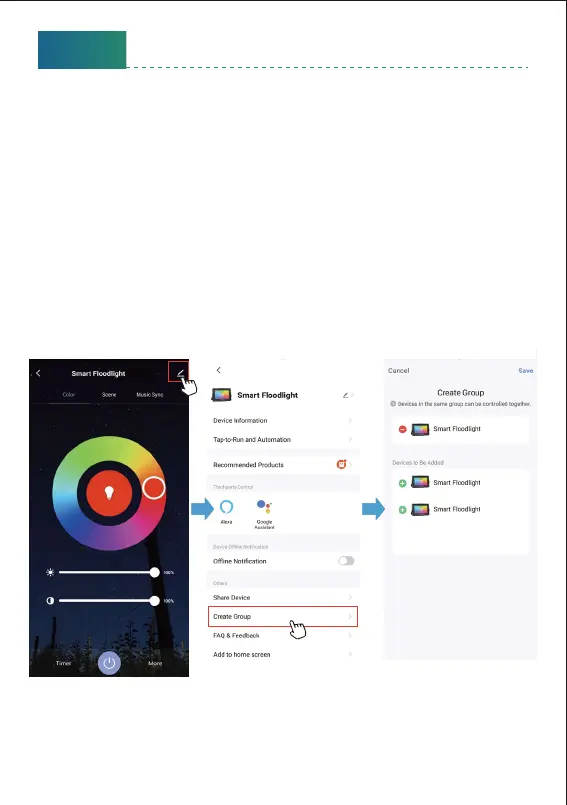
* Please note all the lights need to be the same model and already paired
to “smart life” App before creating a group.
1. Choose any flood light on the app, click the edit buon on the top right
corner, then click “Create Group” .
2. Choose the flood lights you want to group from the device list and rename
the group.
Now you can control the flood lights and sync with the music, the colors
will be synchronized in the group.
How to group the flood lights?



 To Next Page