Need help?
Do you have a question about the Ustellar UT88873 and is the answer not in the manual?
Crucial safety precautions and warnings before installation.
Technical specifications of the smart LED flood light, including model, wattage, voltage, etc.
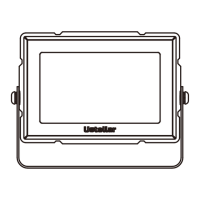
Identifies and lists all the physical components included with the smart flood light.
Details the physical dimensions and weight of the smart LED flood light.
Step-by-step guide on how to physically install the smart LED flood light.
Outlines limitations and conditions for using the flood light indoors and outdoors.
Provides technical specifications related to the wireless control features of the light.
Key information and requirements to ensure successful pairing with the Smart Life app.
Instructions on downloading and installing the Smart Life mobile application.
Steps to create a new account and log in to the Smart Life app.
Guide on adding the smart flood light to the Smart Life application.
Procedure to reset the light and activate its rapid blinking status for pairing.
Steps to select the Wi-Fi network, enter the password, and name the device.
Guidance on naming the smart flood light for easy identification and voice control.
Overview of how to control the light's functions (on/off, color, brightness) within the Smart Life app.
Instructions on how to create and manage groups of flood lights for simultaneous control.
Guide to logging into the Alexa app and navigating to the skills section.
Instructions for searching and enabling the 'Smart Life' skill within the Alexa app.
Process of linking your Smart Life app account to your Amazon Alexa account.
Steps to make Alexa discover the smart flood light after linking accounts.
How to control the light's functions directly through the Alexa app interface.
Examples of voice commands to control the smart flood light using Amazon Alexa.
Guide to logging into the Google Assistant app and accessing the Home Control section.
Steps to find and link the Smart Life service within Google Assistant's Home Control.
Process of binding your Smart Life app account to your Google Assistant account.
How to control the light via the Google Assistant app or voice commands.
Contact information for customer support and details about the manufacturer.
 General
| Brand | Ustellar |
|---|---|
| Model | UT88873 |
| Category | Flood Light |
| Language | English |


 To Next Page