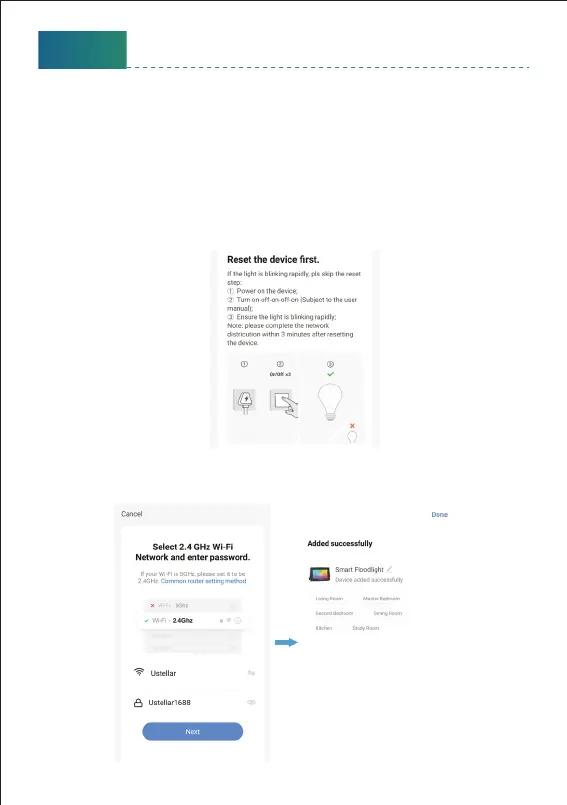
3. Choose your WiFi network, enter your password, and tap the ‘Next’
buon. Then give a name to the light and tap the ‘Done’ buon.
2. Power on the light with your own switch. Repeatedly turn on-o-on-o
-on-o-on switch 3 times) to activate the light into rapid blinking status
(about 0.5s per blink). Then click the ‘Next’ buon on this page. Find the
lighting devices and click ‘+’.
* Please make sure to keep an interval about 2 seconds between each
turn-on and turn-o.
* After switch on-o 3 times, please wait for about 5 seconds, then the
light will start to blink with RED light, which means that it has been
reset successfully.
English
9



 To Next Page