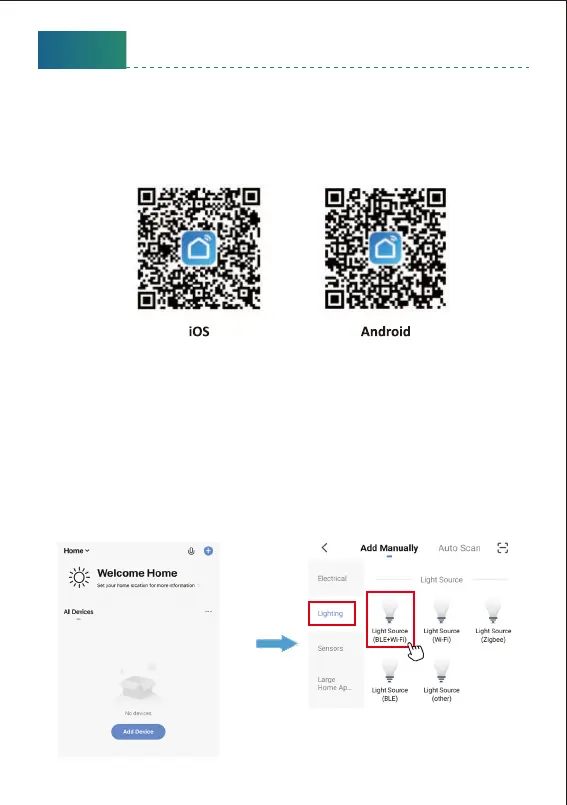
Step A : Smart Life app installation
Please choose either way below to download and install the app.
1 As per your phone system, choose the QR code to scan.
2 Search keyword ‘Smart Life’ in Apple Store or Google Play.
Step B Create an account on Smart Life and login.
Note: Please keep your account and password in mind for Alexa or Google
Assistant App pairing later.
Step C : Add the light to Smart Life App
1. Tap ‘+’ buon on top right corner to add devices. Tap ‘Lighting’, then
choose ‘PIR Light BLE+Wi-Fi)’ to add the lights.
English
8



 To Next Page