English
14
Step G : You can also voice control the light with Alexa by giving these
commands: “Alexa, turn on ‘device name’”,“Alexa, set ‘device name’ to
‘color’”, “Alexa, set ‘device name’ to ‘number’”. Device name is the one
you give to the light. The light is named ‘smart light’ in this user guide.
For example, “Alexa, turn on ‘smart light’”, “Alexa, set ‘smart light’ to
‘blue’” etc.
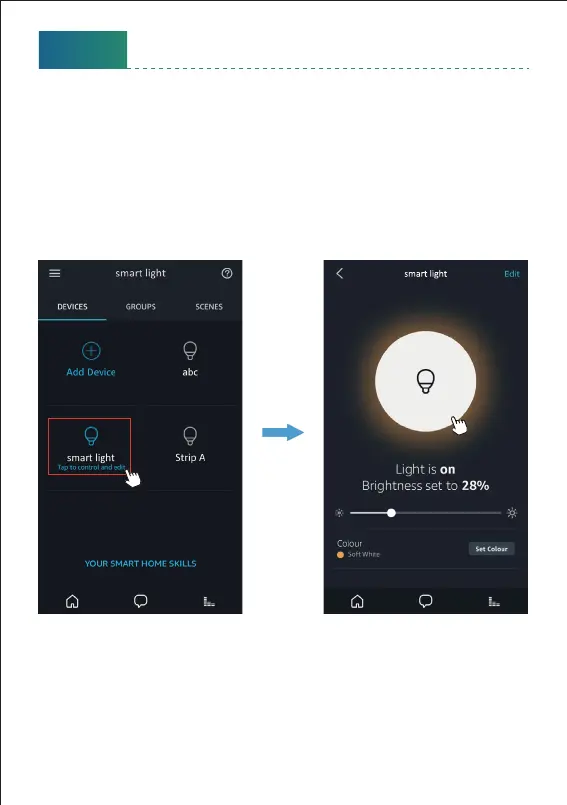
Step F Now you can control the light with Alexa App on the seing page.
To turn on or o the light, simply tap the bulb icon.
Note: To control the light with Google Assistant, please continue to read
Part Four.



 To Next Page