(QJOLVK
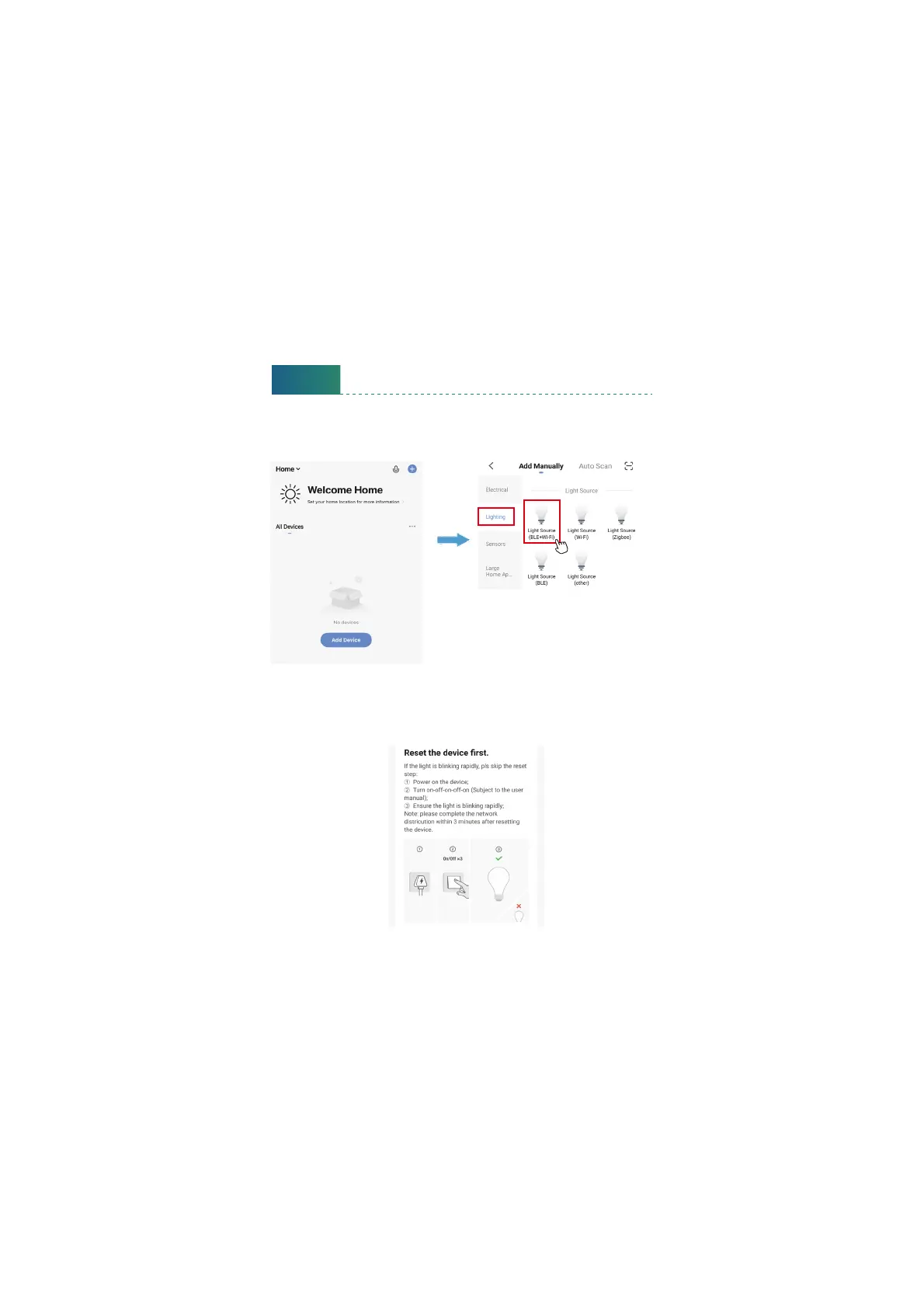
Step C : Add the light to Smart Life App
1. Tap ‘+’ buon on top right corner to add devices. Tap ‘Lighting’, then
choose ‘PIR Light BLE+Wi-Fi)’ to add the lights.
9
2. Power on the light with your own switch. Repeatedly turn on-o-on-o
-on-o-on switch 3 times) to activate the light into rapid blinking status
(about 0.5s per blink). Please make sure to keep an interval over 2 seconds
between each turn-on and turn-o. Then click the ‘Next’ buon on this
page. Find the lighting devices and click ‘+’.


 To Next Page