(QJOLVK
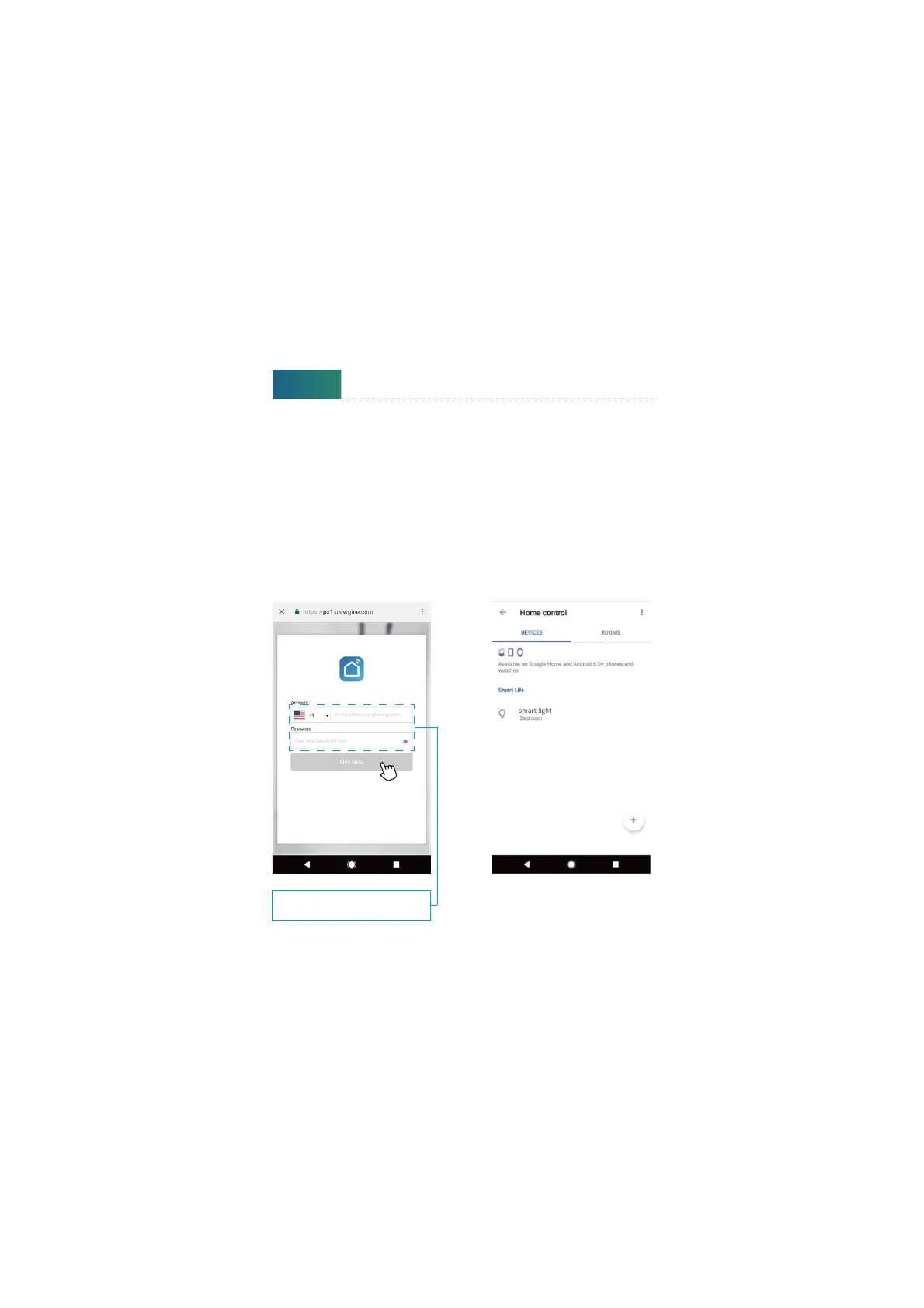
Step D Enter your Smart Life App account and password to bind Smart Life
account to Google Assistant.
Step E : You will find the named light shows on the Home Control page. Now
you can control the light on Google Assistant App, or voice control it by
giving these commands: “ok Google, turn on ‘device name’”, “ ok Google,
set ‘device name’ ‘to color’”, “ ok Google, set ‘device name’ to ‘number’”.
Device name is the one you give to the light. The light is named ‘smart light’
in this user guide. For example, “ok Google, turn on ‘smart light’”, “ok Google,
set ‘smart light’ to ‘blue’” etc.
Step D Step E
18
Same account and password
as Smart Life App


 To Next Page