EasyManua.ls Logo

UTC Fire and Security Interlogix UX-TOUCH01 - User Manual

UTC Fire and Security Interlogix UX-TOUCH01
6 pages
Print Icon
To Next Page IconTo Next Page
Loading...
© 2019 UTC Fire & Security Americas Corporation, Inc. 1 / 6 P/N 466-2940 • REV D • ISS 20NOV19
7-inch Touchscreen Installation Sheet
Product Warnings and Disclaimers
PRODUCT WARNINGS - GENERAL
THESE PRODUCTS ARE INTENDED FOR SALE TO AND
INSTALLATION BY AN EXPERIENCED SECURITY
PROFESSIONAL. UTC FIRE & SECURITY B.V., UTC FIRE &
SECURITY AMERICAS CORPORATION AND THEIR
AFFILIATE COMPANIES (TOGETHER AND EACH
INDIVIDUALLY "UTCFS") CANNOT PROVIDE ANY
ASSURANCE THAT ANY PERSON OR ENTITY BUYING ITS
PRODUCTS, INCLUDING ANY “AUTHORIZED DEALER”, IS
PROPERLY TRAINED OR EXPERIENCED TO CORRECTLY
INSTALL SECURITY RELATED PRODUCTS.
A PROPERLY INSTALLED AND MAINTAINED
ALARM/SECURITY SYSTEM MAY ONLY REDUCE THE
RISK OF EVENTS SUCH AS BREAK-INS, BURGLARY,
ROBBERY OR FIRE; IT IS NOT INSURANCE OR A
GUARANTEE THAT SUCH EVENTS WILL NOT OCCUR,
THAT ADEQUATE WARNING OR PROTECTION WILL BE
PROVIDED, OR THAT THERE WILL BE NO DEATH,
PERSONAL INJURY, AND/OR PROPERTY DAMAGE AS A
RESULT.
BEFORE INSTALLING (SECURITY) PRODUCTS, ENSURE
THAT ITS FIRMWARE IS UPGRADED TO THE LATEST
VERSION, AVAILABLE FOR DOWNLOAD FROM OUR
WEBSITE. DURING THE LIFESPAN OF SECURITY
PRODUCTS, IT IS IMPORTANT TO KEEP FIRMWARE UP
TO DATE.
USERS SHOULD, WHERE APPLICABLE, CHANGE
PASSWORDS FREQUENTLY AND ENSURE A HIGH-
QUALITY PASSWORD (PASSWORDS SHOULD BE LONG
AND COMPLEX ENOUGH, NEVER SHARED, AND ALWAYS
UNIQUE). FURTHERMORE, IT IS THE USERS’
RESPONSIBILITY TO KEEP ITS ANTI-VIRUS SYSTEM UP
TO DATE.
WHILE UTCFS MAKES REASONABLE EFFORTS TO
REDUCE THE PROBABILITY THAT A THIRD PARTY MAY
HACK, COMPROMISE OR CIRCUMVENT ITS SECURITY
PRODUCTS, RELATED SOFTWARE OR CLOUD SERVERS,
ANY SECURITY PRODUCT, SOFTWARE OR CLOUD
SERVER MANUFACTURED, SOLD AND/OR LICENSED BY
UTCFS, MAY STILL BE HACKED, COMPROMISED AND/OR
CIRCUMVENTED.
CERTAIN PRODUCTS OR SOFTWARE MANUFACTURED,
SOLD OR LICENSED BY UTCFS CONNECT TO THE
INTERNET TO SEND AND/OR RECEIVE DATA (“INTERNET
OF THINGS” OR “IOT” PRODUCTS). ANY CONTINUED USE
OF AN IOT PRODUCT AFTER UTCFS HAS CEASED
SUPPORTING THAT IOT PRODUCT (E.G., THROUGH
NOTICE THAT UTCFS NO LONGER PROVIDES FIRMWARE
UPDATES OR BUG FIXES) MAY RESULT IN REDUCED
PERFORMANCE, MALFUNCTION, AND/OR INCREASED
VULNERABILITY TO HACKING, COMPROMISE AND/OR
CIRCUMVENTION.
UTCFS DOES NOT ENCRYPT COMMUNICATIONS
BETWEEN ITS ALARM OR SECURITY PANELS AND THEIR
OUTPUTS/INPUTS INCLUDING, BUT NOT LIMITED TO,
SENSORS OR DETECTORS UNLESS REQUIRED BY
APPLICABLE LAW. AS A RESULT THESE
COMMUNICATIONS MAY BE INTERCEPTED AND COULD
BE USED TO CIRCUMVENT YOUR ALARM/SECURITY
SYSTEM.
THE ABILITY OF UTCFS PRODUCTS AND SOFTWARE TO
WORK PROPERLY DEPENDS ON A NUMBER OF
PRODUCTS AND SERVICES MADE AVAILABLE BY THIRD
PARTIES OVER WHICH UTCFS HAS NO CONTROL
INCLUDING, BUT NOT LIMITED TO, INTERNET, CELLULAR
AND LANDLINE CONNECTIVITY; MOBILE DEVICE AND
OPERATING SYSTEM COMPATIBILITY; AND PROPER
INSTALLATION AND MAINTENANCE. UTCFS SHALL NOT
BE LIABLE FOR ANY DAMAGES CAUSED BY ACTIONS OR
OMISSIONS OF THIRD PARTIES.
BATTERY OPERATED SENSORS, DETECTORS, KEYFOBS,
PANIC DEVICES AND OTHER PANEL ACCESSORIES HAVE
A LIMITED BATTERY LIFE. WHILE THESE PRODUCTS MAY
BE DESIGNED TO PROVIDE SOME WARNING OF
IMMINENT BATTERY DEPLETION, THE ABILITY TO
DELIVER SUCH WARNINGS IS LIMITED AND SUCH
WARNINGS MAY NOT BE PROVIDED IN ALL
CIRCUMSTANCES. PERIODIC TESTING OF THE SYSTEM
IN ACCORDANCE WITH PRODUCT DOCUMENTATION IS
THE ONLY WAY TO DETERMINE IF ALL SENSORS,
DETECTORS, KEYFOBS, PANIC DEVICES AND OTHER
PANEL ACCESSORIES ARE FUNCTIONING PROPERLY.
CERTAIN SENSORS, PANIC DEVICES AND OTHER PANEL
ACCESSORIES MAY BE PROGRAMMED INTO AN ALARM
PANEL AS “SUPERVISORY” SO THAT THE ALARM PANEL
WILL INDICATE IF IT DOES NOT RECEIVE A REGULAR
SIGNAL FROM THE DEVICE WITHIN A CERTAIN PERIOD
OF TIME. CERTAIN DEVICES CANNOT BE PROGRAMMED
AS SUPERVISORY. DEVICES CAPABLE OF BEING
PROGRAMMED AS SUPERVISORY MAY NOT BE
PROPERLY PROGRAMMED AT INSTALLATION,
RESULTING IN A FAILURE TO REPORT TROUBLE WHICH
COULD RESULT IN DEATH, SERIOUS INJURY AND/OR
PROPERTY DAMAGE.
SIRENS/SOUNDERS, INCLUDING INTERNAL
SIRENS/SOUNDERS IN PANELS, ARE DESIGNED TO EMIT
VERY LOUD SOUNDS. THESE SOUNDS CAN CAUSE
HEARING DAMAGE TO PERSONS EITHER IN CLOSE
PROXIMITY TO THE SIREN/SOUNDER WHEN ACTIVATED
OR EXPOSED TO SUCH SOUNDS OVER LONGER
PERIODS OF TIME.

Question and Answer IconNeed help?

Do you have a question about the UTC Fire and Security Interlogix UX-TOUCH01 and is the answer not in the manual?

Overview

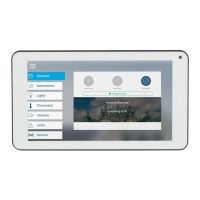
The Interlogix 7-inch Touchscreen is a security system interface designed for professional installation and use with ZeroWire or xGen control panels. This device serves as a central point for managing and monitoring various security functions within a home or business environment.

Function Description:

The touchscreen acts as a user interface for an alarm/security system, allowing users to enroll the device into a control panel, configure Wi-Fi settings, and manage system functions. It displays system status, automations, lighting controls, thermostat settings, camera feeds, locks, and sensor statuses. The device supports firmware upgrades to ensure it operates with the latest features and security enhancements. It is designed to connect to the internet to send and receive data, functioning as an "Internet of Things" (IoT) product. The touchscreen can be programmed to control specific area groups within the security system. It also features adjustable brightness levels for active and idle states, an idle timeout setting to lock the device after inactivity, and adjustable beep volume for entry/exit notifications. When used with cameras, it requires camera user name and password for access.

Important Technical Specifications:

  • Dimensions (W x H x D): 192 x 116 x 15.24 mm
  • Compatibility: ZeroWire panel
  • Display Size: 7.0 in. (18 cm)
  • Display Resolution: 1024 x 600
  • Input Technology: Capacitive Multi-touch
  • Operating System: Android
  • Wi-Fi: 802.11 b/g/n 2.4GHz
  • Frequency Range: 2412-2472 MHz for 802.11b/g/n (HT20), 2422-2462 MHz for 802.11n (HT40)
  • Max. RF Output Power: 12.47 dBm (EIRP)
  • Backup battery: 3.7 V DC
  • Power Supply: 5V/2A (recommended for firmware upgrade)
  • FCC ID: 2ADKXMS7016
  • IC Model/Modèle: MS7016
  • IC: 22288-MS7016

Usage Features:

The touchscreen offers a user-friendly interface for quick setup and daily operation.

  • Power Up: Hold the power button to turn on the screen.
  • Wi-Fi Setup: Connects to a Wi-Fi network from a list of available networks. The touchscreen and the hub must be on the same network. Network passwords are required for connection.
  • Enrollment: The touchscreen must be enrolled into a control panel (ZeroWire or xGen). This involves selecting an available hub on the network and entering the installer PIN for the hub. Users can assign a name to the keypad, select a tablet number, and choose an area group to control.
  • Firmware Upgrade: The device supports over-the-air firmware updates. It is crucial to use the supplied 5V/2A power supply during upgrades. The system automatically checks for available updates, allowing users to download and install them.
  • Settings:
    • Allow Master User to Upgrade Firmware: Enables master user access to the Upgrade menu.
    • Language: Allows selection of the display language.
    • Active Brightness: Adjustable from 1% to 100% for when the user is actively using the touchscreen.
    • Idle Brightness: Adjustable from 1% to 100% for when the touchscreen is not actively used. Setting it to 1% makes the screen appear black when idle, but it can be reactivated by touch.
    • Idle Timeout: Configurable from 10 to 300 seconds, determining the time before the touchscreen locks down and requires a PIN.
    • Beep Volume: Adjustable from 1% to 100% for entry/exit beeps.
    • Camera User Name and Camera Password: Required for accessing cameras through the touchscreen.
  • Mounting: The device comes with a wall bracket that can be mounted using supplied anchors and screws. The tablet slides into slots on the back of the bracket. To remove the tablet, a small screwdriver is used to push up on a release tab on the bottom of the back cover.

Maintenance Features:

  • Firmware Updates: Regular firmware updates are essential for maintaining performance, functionality, and security. Users are advised to keep the firmware up to date throughout the product's lifespan.
  • System Checks: The system should be checked by a qualified technician at least every 3 years.
  • Battery Replacement: The backup battery should be replaced as required, typically every 3 years.
  • Password Management: Users should frequently change passwords, ensuring they are long, complex, never shared, and always unique.
  • Anti-virus System: Users are responsible for keeping their anti-virus system up to date.
  • Regulatory Compliance: The device complies with FCC and Industry Canada standards, including regulations for radio frequency exposure, requiring a minimum distance of 20cm between the device and the body. It also adheres to EU directives for WEEE and battery disposal, promoting proper recycling.

Warnings and Disclaimers:

  • Professional Installation: Products are intended for sale to and installation by experienced security professionals. UTCFS does not guarantee proper installation by unauthorized personnel.
  • Security Limitations: An alarm/security system reduces risk but is not a guarantee against events like break-ins, burglary, robbery, or fire, nor does it guarantee adequate warning, protection, or prevention of personal injury or property damage.
  • Cybersecurity Risks: While UTCFS makes efforts to reduce hacking risks, any security product, software, or cloud server may still be compromised. Continued use of IoT products after UTCFS ceases support may increase vulnerability.
  • Communication Encryption: UTCFS does not encrypt communications between alarm panels and outputs/inputs (sensors, detectors) unless required by law, making them potentially interceptable.
  • Third-Party Dependencies: Proper functioning depends on third-party products and services (internet, cellular, landline connectivity, mobile device compatibility) over which UTCFS has no control.
  • Battery Life: Battery-operated sensors, detectors, keyfobs, and panic devices have limited battery life. Warnings for low battery may not always be provided. Periodic testing is crucial to ensure proper functioning.
  • Supervisory Devices: Certain devices can be programmed as "supervisory" to indicate if a regular signal is not received. Improper programming can lead to failure to report trouble.
  • Sounders/Sirens: Sirens emit very loud sounds that can cause hearing damage if exposed to them in close proximity or for extended periods.
  • Smoke Alarms: Both ionization and photoelectric smoke alarms are recommended for maximum detection of various fire types.
  • Pressurized Cylinders: Protective eye wear must be worn when working with pressurized cylinders. Servicing cylinder and valve assemblies or recharging cylinders requires specific safety procedures to prevent serious injury or death.
  • Warranty Disclaimers: UTCFS disclaims all warranties regarding merchantability, fitness for a particular purpose, and non-circumvention of its products. It does not guarantee prevention of break-ins or proper functioning in all environments.
  • Data Access: UTCFS is not liable for unauthorized access (hacking) into cloud servers, transmission facilities, premises, equipment, or data files, programs, procedures, or information, unless prohibited by law.
  • Biometric Capabilities: If biometric capabilities (fingerprint, voice, facial recognition) or data recording are used, the end-user/installer/distributor is responsible for ensuring compliance with all applicable privacy laws and obtaining necessary consents.

UTC Fire and Security Interlogix UX-TOUCH01 Specifications

General IconGeneral
BrandUTC Fire and Security
ModelInterlogix UX-TOUCH01
CategoryTouchscreen
LanguageEnglish