• For protecting this unit, make sure the battery capacity of jump starter is
above 75% before jumping start your car.
• Check the power of the product at least every three months, and charge the
product in time.
05EN
Operation Guide
Charging your jump starter
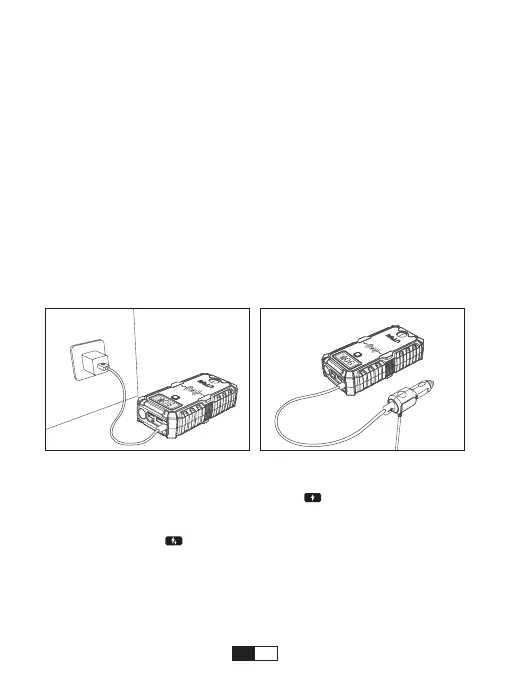
• At Home :
1. Plug the USB cable into USB charging output or any USB 2A wall adaptor (not
included).
2. Connect the USB-C port into the Jump Starter.
• In Car :
1. Plug the car adaptor (not included) into the socket.
2. Connect the USB-C port into the Jump Starter.
How the LCD display shows:
1. When charging the jump starter, the “IN” and “ ” show up at the same
time, it indicates ordinarily charge the jump starter, and the units digit of the
power percentage ashes.
2. When the “IN” and “ ” show up at the same time, it indicates quickly
charge the jump starter.
3. It will stop ashing after full charged, and the LCD display will automatically
turn o after 10 seconds.
4. If the charger is unplugged while charging, the LCD display will go out
immediately.


 To Next Page