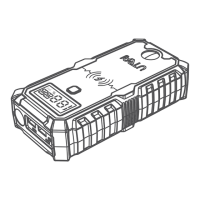
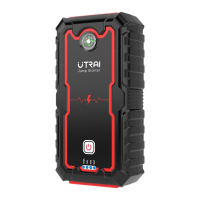
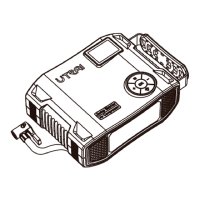
Function
7 LED Light
13
USB-C Input Port
12
DC 12V-16V /
10A Output Port
9 Air Hose
5 - Button
6 Button
2 OK Button
1
LCD Display Screen
14
EC5 Output Port
11
10
8
USB Output Port
4
+ Button
3
M Button
16
LED Indicator
15
Battery Clamp Plug
Red Battery Clamp
Black Battery Clamp
Operation
Illumination
Show the remaining power and check air pressure
of the connected tire
Charge the starter
Insert the plug into the jump starting port
Charge your devices
Connect car tires
Decrease the air pressure value
Turn on / off the LED light and switch lighting mode
Show the working status of the battery clamp
Insert the plug completely into the jump starter
Connect to positive terminal of the car battery
Connect to negative terminal of the car battery
17
Force Start Button
Forcibly start the vehicle when the smart battery
clamp cannot recognize the car battery
Turn on / off the device or the air compressor
Charge your devices with USB cable
Increase the air pressure value
Switch the inflating modes and the unit of output
air pressure
EN03


 To Next Page