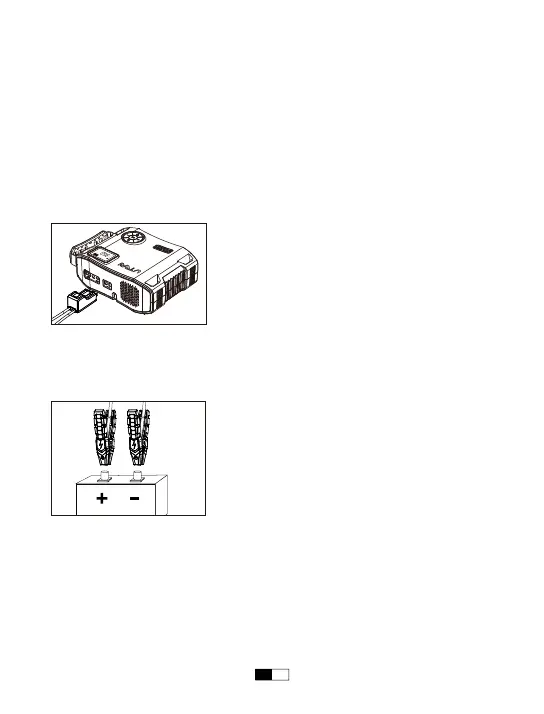
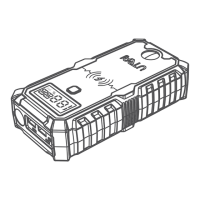
• When connecting smart clamps to the battery terminals, ensure the copper teeth
on each side of the clamp make good contact with the terminal. The better the
connection, the easier it will be to start your vehicle.
NOTE: When adjusting the clamps please be sure to disconnect your Jump Starter
first. This will prevent the occurrence of minor sparks.
Jump Starting a Vehicle
Step 1: Insert the plug of the battery clamps completely into the jump starter, the
red and green lights flashing alternately.
Step 2: Connect the red clamp to the positive electrode (+) of the car battery and
the black clamp to negative one (-).The green indicator is always on and the
battery clamp makes a clicking sound.
Note: 1. If you finish step 2, but the green indicator isn't always on and the battery
clamp doesn't make a sound, please try using the force start function. Press and
hold the force start button for 3 seconds, if the green indicator is always on and the
battery clamp makes a sound, please continue with step 3.
2. For safety’s sake, please don't connect the clamps together or reversely connect
the clamp to the car battery after you turn on the force start button to avoid short
circuit or reverse connection.
RED BLACK
EN07


 To Next Page