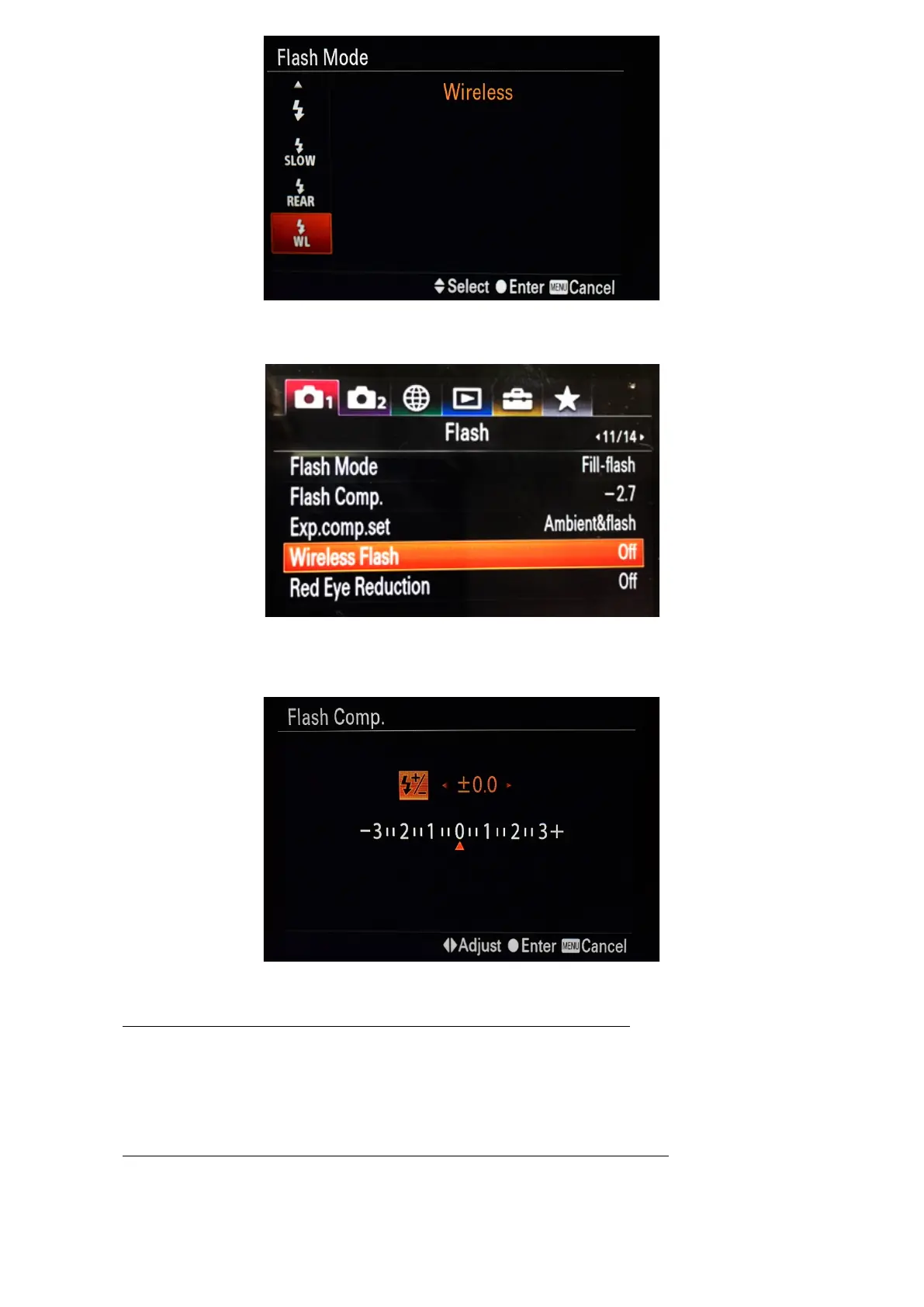
Based on your camera firmware, if “WL” sign doesn’t show on the Flash Mode Menu, it can also be found on page 11 of
Camera Menu 1. When ON, it will override the flash mode setting menu and the TTL system will operate in Manual Mode only.
In this Manual Mode the flash intensity manual adjustment by camera menu also becomes available. Pay attention,
underwater strobe must be in STTL mode for this function. Then, user can comfortably adjust flash intensity by camera wheel,
looking at the camera scale. Full scale range (-3ev….+3ev) corresponds to flash intensities 1/64 …1/1.
o Underwater Strobe Manual Mode (set by underwater strobe dial switch):
Set underwater strobe dial switch to M (or FULL) mode without pre-flashes. Adjust strobe light intensity by the
dial switch on the strobe body.
Shooting in this mode, it is strongly recommended to set TTL-Converter also to M mode (by camera menu “WL”
command), to exclude Pre-flashes in system (for energy saving).
o TTL-Converter hardwire Manual Mode (set by onboard switch to “0” position):
Set TTL-Converter onboard rotary switch to “0” position.
Set underwater strobe to M (or FULL) mode without pre-flashes by dial switch on the strobe body. Adjust
strobe light intensity by the dial switch on the strobe body.


 To Next Page
 Loading...