EasyManua.ls Logo

UWT RF 3000 Series - User Manual

UWT RF 3000 Series
43 pages
Print Icon
To Next Page IconTo Next Page
Loading...
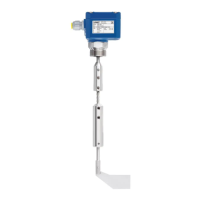
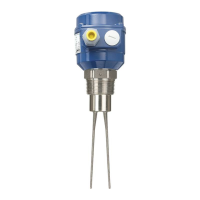
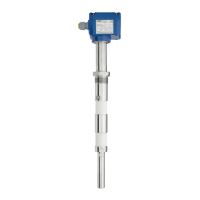
Level limit switch
Series RF 3000
Technical Information / Instruction manual
page
Table of contents
Page
Safety notes/ Technical support 2
--------------------------------------------------------------------------------------------------------------------------
Introduction 3
--------------------------------------------------------------------------------------------------------------------------
Applications 4
--------------------------------------------------------------------------------------------------------------------------
Technical data:
Dimensions 5
Electrical data 9
Mechanical data 10
Operating conditions 11
Transport and Storage 12
--------------------------------------------------------------------------------------------------------------------------
Approvals 13
--------------------------------------------------------------------------------------------------------------------------
Options 13
--------------------------------------------------------------------------------------------------------------------------
Mounting 14
--------------------------------------------------------------------------------------------------------------------------
Electrical installation 20
--------------------------------------------------------------------------------------------------------------------------
Qickstart 22
--------------------------------------------------------------------------------------------------------------------------
Advanced proramming 29
--------------------------------------------------------------------------------------------------------------------------
Probe modications 35
--------------------------------------------------------------------------------------------------------------------------
Assembly - Remote version/ FM, FMc Control Drawing 36
--------------------------------------------------------------------------------------------------------------------------
Troubleshooting 37
--------------------------------------------------------------------------------------------------------------------------
Maintenance 39
--------------------------------------------------------------------------------------------------------------------------
Notes for use in Hazardous Locations 41
--------------------------------------------------------------------------------------------------------------------------
Disposal 43
Subject to technical change. We assume no liability for typing errors.
All dimensions in mm (inch). Different variations than specied are possible.
Please contact our technical consultants.
RFnivo
®
1
2
3
4
5
6
7
8
9
10
11
12
RF 3000 f
gi241014
1

Questions and Answers

  • S
    stevenmoraAug 16, 2025
    What to do if the signal output states are covered while material is below the probe in the UWT Switch?
    • M
      Mr. Andre ColeAug 16, 2025
      If the signal output states are covered while the material is below the probe in your UWT Switch, there are several potential causes. First, the unit may not be properly calibrated, so recalibration is recommended. Second, there might be excessive material buildup on the active probe; consider increasing the distance to the wall by using a longer inactive length or changing the probe's position. You may also need to recalibrate with less sensitivity. Finally, check the probe wiring for any defects or incorrect connections.
  • S
    Stanley ChandlerAug 19, 2025
    What to do if the signal output states are uncovered while material is above the probe in the UWT RF 3000 Switch?
    • B
      Brandon MartinezAug 19, 2025
      If the signal output states are uncovered while the material is above the probe in your UWT Switch, it could be due to several reasons. The calibration might have been done with a covered probe, so recalibrate with an uncovered probe. Alternatively, the calibration may have been done with too little sensitivity; in this case, recalibrate with higher sensitivity or increase the active probe length and recalibrate. Also, check the probe wiring for any defects or incorrect connections.
  • C
    Crystal MillerAug 22, 2025
    What to do if the UWT RF 3000 shows over range with high capacitance?
    • J
      Joshua LoveAug 22, 2025
      If you are experiencing an over range issue with your UWT Switch, where the actual measured capacitance exceeds 400 pF (with Sensitivity set to ?2 pF) or 100 pF (with Sensitivity set to ?1 pF), consider the following: if you're using a long rope version in an empty silo, this may exceed 100 pF capacitance, so change to Sensitivity 2 pF if the DK of the material is high enough. Also, ensure that the probe is uncovered, as it may be covered with material. Check the probe for defects or incorrect wiring.
  • T
    Tracy FreemanAug 26, 2025
    Why UWT RF 3000 Switch shows high capacitance with 'High' sensitivity setting?
    • J
      Joshua TaylorAug 26, 2025
      If the actual measured capacitance is close to or higher than 100 pF with the sensitivity range set to 'High' on your UWT Switch, and calibration is not possible, consider these potential causes. If you're using a long rope version in an empty silo, this may exceed 100 pF capacitance, so change to Sensitivity range 'Low' if the DK of the material is high enough. Also, ensure that the probe is uncovered, as it may be covered with material. Check the probe for defects or incorrect wiring.
  • J
    Jeanette JohnsonAug 28, 2025
    What to do if UWT RF 3000 Switch shows over range after changing the sensitivity?
    • H
      Heather RobertsonAug 28, 2025
      If you encounter an over range issue after changing the Sensitivity from ?2 pF to ?1 pF on your UWT Switch, it may be because the actual calibrated capacitance is higher than 100 pF and cannot be measured with the ?1 pF sensitivity setting. To resolve this, change to Sensitivity 2 pF if the DK of the material is high enough, or recalibrate the device.
  • M
    Martin RobinsonAug 31, 2025
    What to do if UWT RF 3000 Switch shows high capacitance with 'Low' sensitivity setting?
    • I
      isandersAug 31, 2025
      If the actual measured capacitance is close to or higher than 400 pF with the sensitivity range set to 'Low' on your UWT Switch, and calibration is not possible, it may be because the probe is covered with material, so ensure that the probe is uncovered. Check the probe for defects or incorrect wiring.
  • R
    Robert CastilloSep 3, 2025
    What to do if UWT Switch shows Auto or Manual Function Test error?
    • P
      pamelavaldezSep 3, 2025
      If you encounter an Auto or Manual Function Test error on your UWT Switch, it indicates that the electronic is defective. Replacement of the electronic is required. The signal output relay will be de-energized.
  • K
    Katherine SweeneySep 6, 2025
    Why UWT RF 3000 Switch shows under range with low capacitance?
    • T
      Tina HoganSep 6, 2025
      If the actual measured capacitance is lower than 3 pF on your UWT Switch, it may be due to a defective probe or incorrect probe wiring. The signal output relay will be de-energized.
  • C
    Colton HaynesSep 9, 2025
    What to do if UWT Switch shows under range and calibration is not possible?
    • M
      Morgan WalshSep 9, 2025
      If the actual measured capacitance is lower than 3 pF on your UWT Switch, and calibration is not possible, it may be due to a defective probe or incorrect probe wiring. The signal output relay will be de-energized.
  • D
    Danielle CarterSep 12, 2025
    What to do if CAL button pressed with Manual calibration setted to 'ON' in UWT RF 3000?
    • T
      Timothy GibbsSep 12, 2025
      If the CAL button is pressed while Manual calibration is set to 'ON' on your UWT Switch, push button calibration is not possible. If push button calibration is required, set Manual calibration to 'OFF'.

UWT RF 3000 Series Specifications

General IconGeneral
Port Speed10/100/1000 Mbps
Humidity5% to 95% (non-condensing)
DimensionsVaries by model
WeightVaries by model
Operating Temperature-40°C to 75°C
Jumbo Frame Support9K bytes
Storage Temperature-40°C to 85°C
CertificationsCE, FCC, UL

Related product manuals