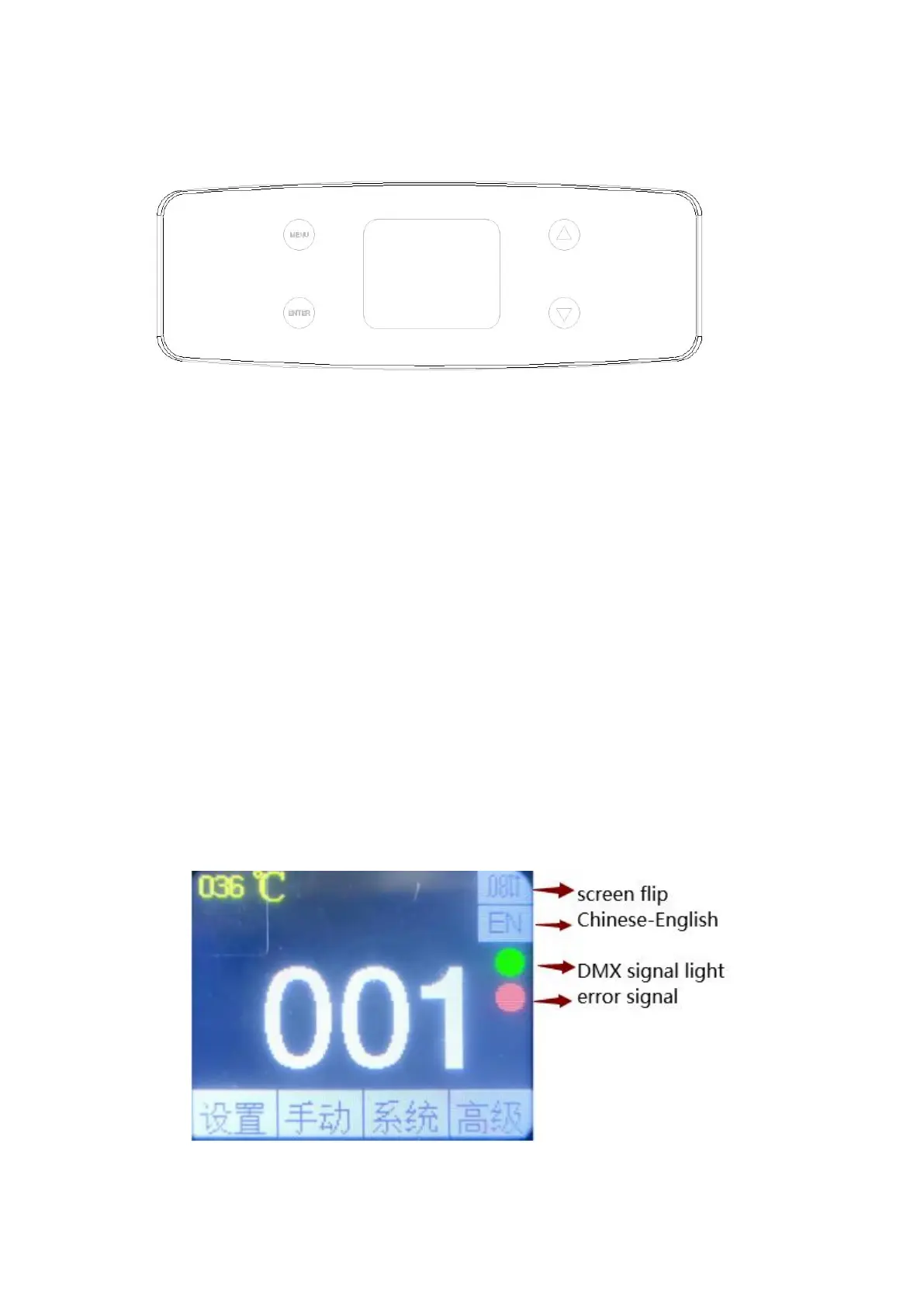
9. Touch key description
Up and down keys to select edit
Confirm key: execute function, start editing, exit editing
menu key: return to the previous interface
The following takes "Modify DMX Address Code" as an example to describe the
use of buttons:
1. If it is not the main interface, press the menu key (one or more times) to
return to the main interface
2. In the main interface, press the "Up" key or the "Down" key to select the
"Settings" button
3. Press the "OK" button to enter the "Settings" interface
4. In the "Settings" interface, press the "Up" key or the "Down" key to select
"DMX Address"
5. Press the "OK" key to enter the editing state
6. Press the "Up" key or "Down" key to modify the DMX address code
7. Press "OK" to exit the editing state
10.menu description
Main menu diagram


 To Next Page