5 Using the appliance functions
Function Description
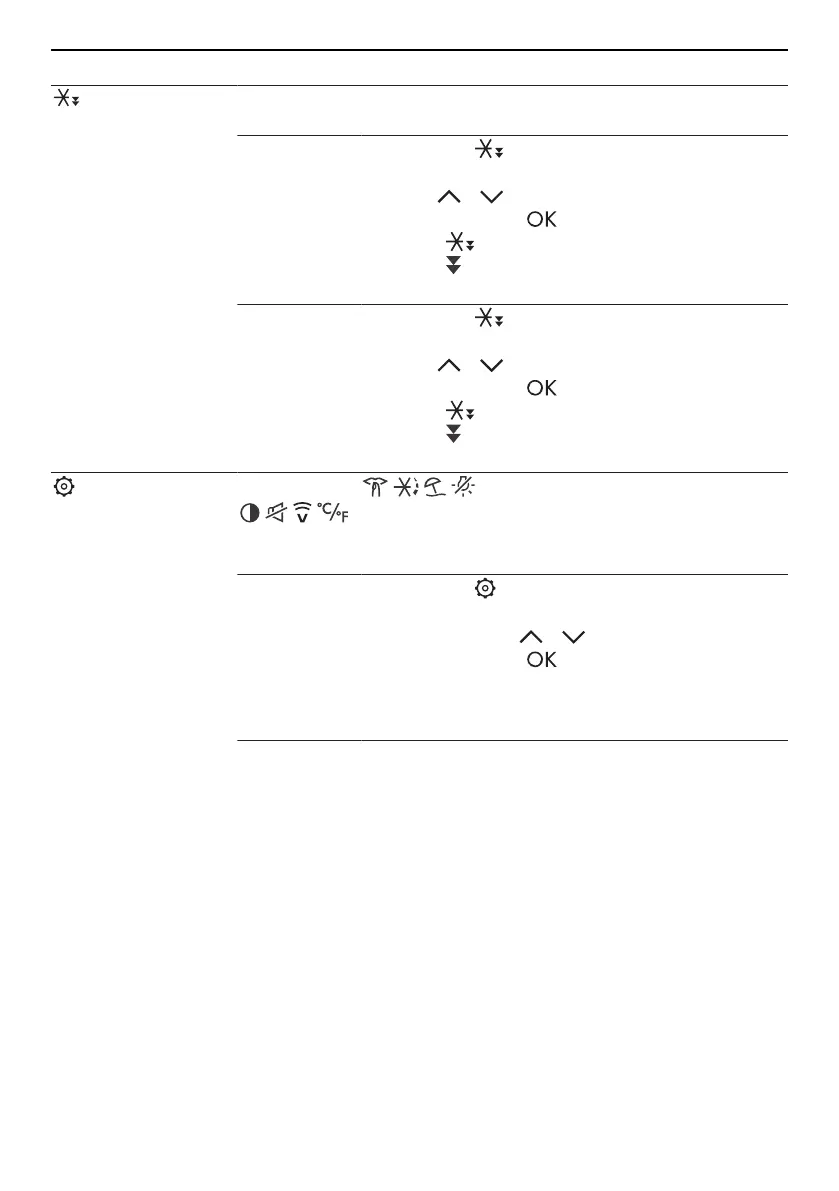
Fast cooling/
freezing
Preparing the refrigerating zones ideally for loading food and food
items after a shopping trip.
Activating
▸ Touch the button.
▸ Select the refrigerator or freezer compartment
using / .
▸ Confirm with the button.
– The function is activated.
– The display element is shown.
Deactivating
▸ Touch the button in the active mode.
▸ Select the refrigerator or freezer compartment
using / .
▸ Confirm with the button.
– The function is deactivated.
– The display element is no longer shown.
Setting
Accessing the functions and
user settings
For more information: Brief description of the appliance functions
(see page 16).
Selecting
▸ Touch the button.
▸ Select the desired function or user setting
(flashing) using / .
▸ Confirm with the button.
– The selection is accepted or additional set-
tings are required.
▸ See the following detailed description for the in-
dividual functions and user settings.
12


 To Next Page