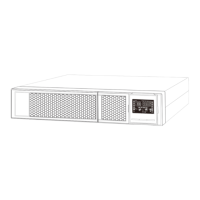
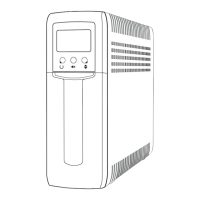
This document describes the V7 DESKTOP UPS (Uninterruptible Power Supply), specifically models UPS1DT750-1E and UPS1DT750-1K. This device is designed to provide backup power and surge protection for electronic equipment, ensuring continuous operation during power outages and protecting against power fluctuations.
Function Description
The DESKTOP UPS acts as a power buffer between the utility power and connected devices. Its primary functions include:
- Battery Backup: Provides temporary power from its internal battery during a power failure, allowing connected equipment to shut down gracefully or continue operating for a short period.
- Surge Protection: Shields connected devices from damaging power surges and spikes.
- EMI Filtering: Reduces electromagnetic interference to ensure clean power delivery.
- Line Conditioning: Stabilizes incoming utility power, correcting minor fluctuations in voltage.
The UPS features both Battery Backup Outlets and Surge-Protected Outlets. Battery backup outlets provide all the aforementioned benefits (battery backup, EMI filtering, line conditioning, and surge protection), while surge-protected outlets only offer surge protection and do not provide power during an outage.
Important Technical Specifications
While specific numerical values for power capacity (VA/W), battery runtime, and input/output voltage ranges are not explicitly stated in the provided pages, the LCD display examples indicate:
- Output Voltage: Displays values like "220.220." and "220.0." suggesting an output voltage around 220V.
- Input Voltage: Displays values like "1840" (likely indicating 184.0V or similar, or an error code) and "50" (likely 50Hz frequency).
- Battery: Internal battery voltage is 12VDC, sealed, lead-acid, 6-cell battery.
- Operating Environment: Intended for installation in a controlled environment (temperature controlled, indoor area free of conductive contaminants).
Usage Features
The UPS is designed for user-friendly operation with several key features:
1. Installation and Connection:
- Inspection: Users are instructed to inspect the unit upon receipt for any shipping damage.
- Utility Power Connection: The UPS connects to utility power via an AC power cord. It automatically begins charging its internal battery upon connection, with a recommended initial charge of 6 hours for optimal performance.
- Equipment Connection:
- Battery Backup Outlets (3): Recommended for essential devices like computers and monitors. These outlets provide battery backup, EMI filtering, line conditioning, and surge protection.
- Surge-Protected Outlets (3): Suitable for non-critical peripherals like printers, fax machines, or scanners. These outlets offer surge protection but do not provide battery backup during power failures.
- Caution: Users are explicitly warned NEVER to connect laser printers or scanners to battery backup sockets due to their high power draw, which can overload the UPS.
- USB Port: Available for connecting to a computer for monitoring software.
- RJ11/RJ45 In/Out: Provides surge protection for network or telephone lines.
2. Power On/Off:
- The UPS is turned on or off by a light press of the power switch. The LED or LCD will illuminate upon power-on and shut off upon power-off.
3. LCD Operation Display:
The UPS features a touch-sensitive LCD display that provides real-time status information. Touching the screen cycles through various data points:
- UPS Power ON: Displays for 4 seconds upon startup.
- AC Mode:
- Displays Output Voltage, Input Voltage, Load Level, and Battery Capacity.
- The "AVR" icon flashes every second when Automatic Voltage Regulation (AVR) is active.
- Battery Mode:
- Displays Output Voltage, Input Voltage, Load Level, and Battery Capacity.
- The battery icon flashes when the battery level is low.
- An alarm beeps every 10 seconds in battery mode.
- Overload in AC Mode:
- The "Overload" icon flashes, and an alarm beeps every 0.5 seconds.
- Overload in Battery Mode:
- The "Overload" icon flashes, and an alarm beeps every 0.5 seconds.
- Backlight Activation: If the backlight is off, touching the screen will activate it.
4. Software Installation (Optional):
- For advanced users, monitoring software (ViewPower) can be downloaded from the V7 website (www.V7-world.com/downloads) to fully configure and monitor the UPS system.
Maintenance Features
The manual provides guidance on troubleshooting and safety, which indirectly relate to maintenance:
1. Troubleshooting:
The document includes a detailed "Fault Codes" table and a "Troubleshooting" section to help users diagnose and resolve common issues:
- Fault Codes (LCD Display):
- F01 (Output short circuited): Disconnect short-circuited loads and restart the UPS.
- F02 (Overload fault): Disconnect all output loads and restart the UPS.
- F03 (Overcharge): Call for service immediately.
- F04 (Bad or severely discharged battery): Replace battery.
- F05 (High output voltage fault): Call for service immediately.
- F06 (Over-temperature): Turn off the unit, wait for cooling, or remove excessive loads and wait for cooling.
- Troubleshooting Table (Problem/Possible Cause/Solutions):
- Nothing displayed on the panel: UPS is not on (Press power switch), Battery voltage too low (Charge battery for 6 hours), Battery fault (Replace battery).
- UPS always on battery mode: Power cord is loose (Re-plug power cord).
- UPS continuously beeps: Check fault code table for details, Battery voltage too low (Charge battery for 6 hours).
- Backup time too short: Overload (Remove unnecessary loads, verify load matches UPS capability), Battery defect (Replace battery).
2. Safety Information (Crucial for Maintenance and Operation):
- No User-Serviceable Parts: Users are warned not to disassemble the unit; only factory service personnel can perform repairs.
- Battery Handling:
- Batteries can pose a risk of electrical shock and short circuit.
- Precautions include removing metal objects (watches, rings), using insulated tools, wearing rubber gloves and boots, and not placing tools or metal parts on batteries.
- Disconnect charging source before connecting/disconnecting battery terminals.
- Replace batteries with the same number and type of sealed lead-acid battery.
- Do not open or mutilate batteries; released electrolyte is toxic.
- Servicing of batteries should be performed or supervised by knowledgeable personnel.
- Electrical Safety:
- Ensure leakage currents of UPS and connected loads do not exceed 3.5mA.
- Connect only to two-pole, three-wire grounded receptacles.
- In an emergency, press the "OFF" button and disconnect the power cord from AC supply.
- Do not allow liquids or foreign objects to enter the UPS.
- Do not place liquid-containing vessels on or near the unit.
- Do not plug the UPS input into its own output.
- Do not attach extension cords, power strips, or surge protectors to the UPS.
- Do not attach non-computer-related items (medical equipment, life-support equipment, microwave ovens, vacuum cleaners) to UPS.
- Environmental Considerations:
- Do not dispose of batteries in a fire.
- Avoid installing the UPS in locations with standing/running water or excessive humidity.
- To prevent overheating, do not cover cooling vents and avoid direct sunlight or installing near heat-emitting appliances.
- Cleaning: Unplug the UPS prior to cleaning and do not use liquid or spray detergent.

 Need help?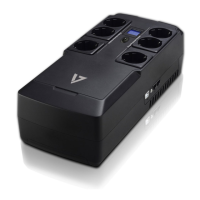

 To Next Page
 General