3
ARY, Inc. | 11880 College Blvd Suite 550 Overland Park, KS 66210 | www.VacMasterFresh.com | 800-821-7849
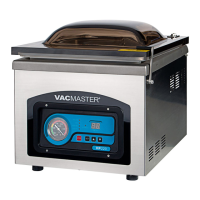
VP540 Chamber Vacuum Sealer | User Guide
Read and complete the following to prevent any damage.
Oil must be added to the vacuum pump before using.
VacMaster
®
model VP540 uses an oil vacuum pump.
For shipping purposes there is no oil in the pump. Oil must be added.
Adding Oil to Vacuum Pump
Turn off and unplug machine to prevent electrocution.
1.
enclosed plastic oil bottle.
2. Locate the oil ll bolt (A) on the top of the vacuum pump.
3.
4. Watching oil site glass (B) insert end of oil bottle into hole.
5. Fill oil level between 1/2 to 3/4 of site glass.
• Do not overfill. Overfill can cause damage to the vacuum pump.
6. Replace and tighten bolt to vacuum pump.
NOTE: Pump requires approximately 8 fluid ounces of oil (approx. 1 cup).
Use only approved VacMaster
®
vacuum oil.
A. Oil Fill Bolt
Side of Cabinet
Housing
B. Oil Site Glass
YOU MUST ADD OIL
BEFORE USE!
FAILURE TO DO SO WILL DAMAGE THE PUMP!



 To Next Page