EasyManua.ls Logo

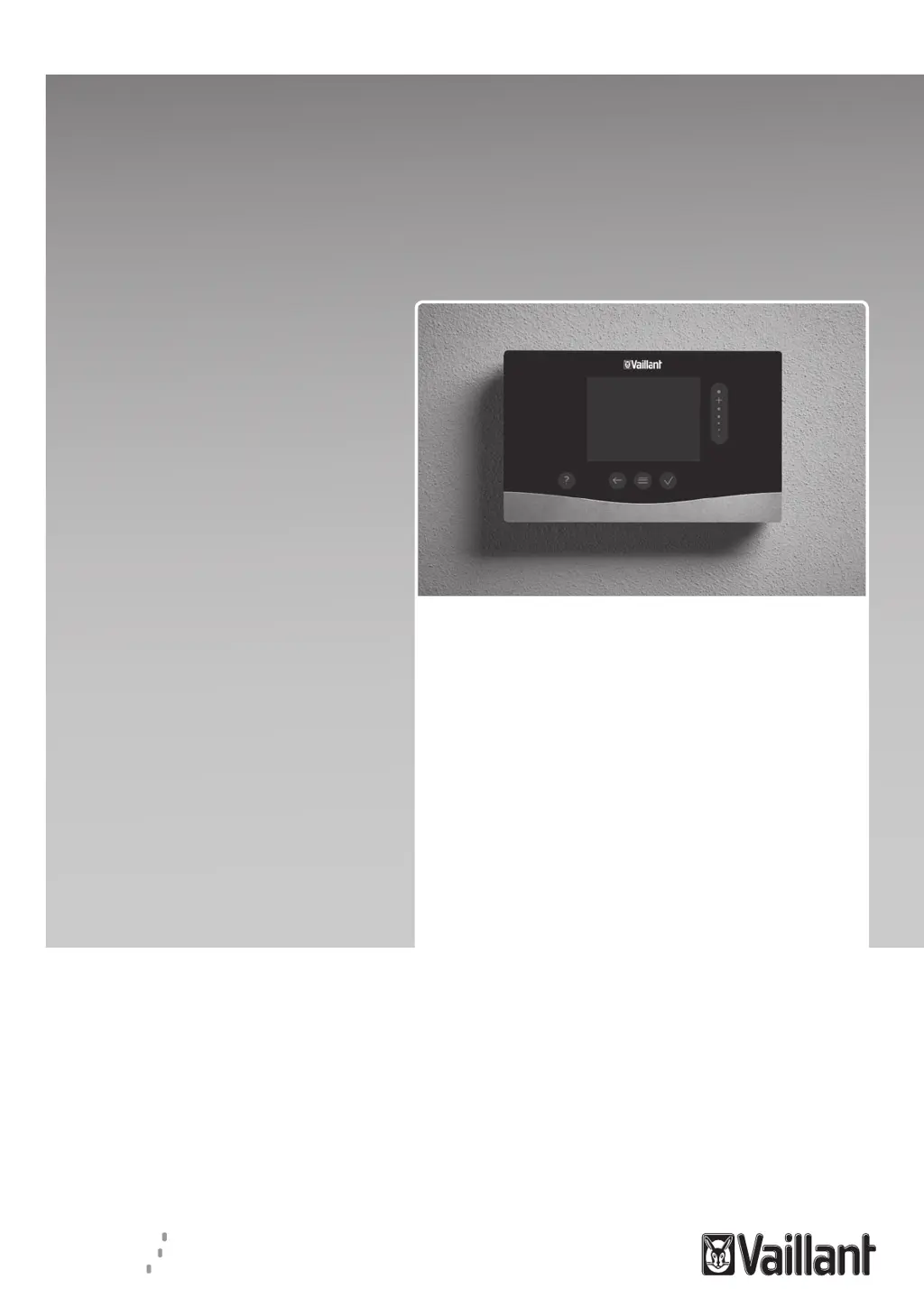
Vaillant sensoCOMFORT VRC 720 - User Manual

Vaillant sensoCOMFORT VRC 720
200 pages
Print Icon
To Next Page IconTo Next Page
Loading...
en Operating and installation
instructions
es Manual de uso e instalación
pt Instruções de uso e instalação
sl Navodila za uporabo in
namestitev
en Country specifics
sensoCOMFORT
VRC 720
Publisher/manufacturer
Vaillant GmbH
Berghauser Str. 40 D-42859 Remscheid
Tel. +492191180 Fax +492191182810
info@vaillant.de www.vaillant.de

Table of Contents

Other manuals for Vaillant sensoCOMFORT VRC 720

Questions and Answers

  • M
    Mark PettyAug 3, 2025
    What to do if my Vaillant Controller displays an 'F. Boiler fault' code?
    • D
      Deanna BoltonAug 3, 2025
      If your Vaillant Controller displays 'F. Boiler fault' followed by a specific fault code (e.g., F.33), it indicates a boiler fault. To resolve this, first reset the boiler by selecting 'Reset' and then confirming with 'Yes'. If the fault message continues to appear, inform a qualified technician.
  • A
    Ashley HuffmanAug 8, 2025
    What to do if my Vaillant Controller displays 'Back-up boiler if fault occurs'?
    • K
      karensalasAug 8, 2025
      If the Vaillant Controller display shows 'Mode: Back-up boiler if fault occurs Heat pump (call the comp. person), insufficient heating-up of the heating and the domestic hot water', it means the heat pump is not working. In this case, inform a qualified technician and select the setting for limp home mode until the technician arrives.
  • J
    jillmitchellAug 13, 2025
    How to deactivate the button lock on a Vaillant Controller?
    • T
      thomasgutierrezAug 13, 2025
      If the Vaillant Controller display shows 'Button lock activated', you won't be able to change any settings. To deactivate the button lock, press the button on the top right of the system control for approximately one second.
  • A
    Austin SmithAug 18, 2025
    What to do if the Vaillant Controller is not responding to control elements?
    • S
      Stephanie JohnsonAug 18, 2025
      If you cannot make any changes in the display via the control elements on your Vaillant Controller, it may be due to a software error. Try these steps: 1. Press and hold the button on the top right of the system control for longer than five seconds to force a restart. 2. Switch off the mains switch on all heat generators for about 1 minute and then switch them back on. 3. If the problem persists, contact a qualified technician.
  • S
    sedwardsAug 23, 2025
    Why is the display on my Vaillant Controller dark?
    • A
      Amanda ToddAug 23, 2025
      If the display on your Vaillant Controller remains dark, it could be due to a software error. Here are a few things you can try: 1. Press and hold the button on the top right of the system control for longer than five seconds to force a restart. 2. Switch off the mains switch on all heat generators for approximately 1 minute, and then switch them back on. 3. If the display remains dark, contact a qualified technician.
  • C
    chad52Aug 27, 2025
    How to change the language on a Vaillant Controller?
    • E
      Elizabeth LongAug 28, 2025
      If you do not understand the language set on your Vaillant Controller, follow these steps to change it: 1. Press the button twice. 2. Select the last menu item (SETTINGS) and confirm by pressing the button. 3. Under SETTINGS, select the second menu item and confirm by pressing the button. 4. Select the language you understand and confirm by pressing the button.

Summary

1 Safety

1.2 General safety information

Provides crucial safety guidelines and warnings for users.

1.3 - Safety;regulations

Outlines safety regulations and directives to be observed.

2 Product description

2.11 Display, control elements and symbols

Describes the device's display, buttons, and common symbols.

3 - Electrical installation, set-up

3.2 Connecting a system control to the ventilation unit

Details how to connect the system control to the ventilation unit.

3.3 Installing the system control and outdoor temperature sensor

Guides through the physical installation of the system control and sensor.

4 - Using the functional modules, basic system diagram, start-up

4.5 Terminal assignment for the FM5 functional module

Shows terminal connections for the FM5 functional module.

5 - Start-up

6 Fault and maintenance messages

6.1 Fault

Describes how to respond to heating pump faults.

6.2 Fault message

Explains how fault messages are displayed and found.

6.3 Maintenance message

Explains how maintenance messages are displayed.

A Troubleshooting, maintenance message

A.1 Troubleshooting

Lists common symptoms, causes, and solutions for issues.

A.2 Maintenance messages

Details maintenance messages and required actions.

B - Troubleshooting, maintenance message

B.1 Troubleshooting

Lists common symptoms, causes, and solutions for issues.

B.2 Troubleshooting

Lists common symptoms, causes, and solutions for issues.

B.3 Maintenance messages

Details maintenance messages and required actions.

Vaillant sensoCOMFORT VRC 720 Specifications

General IconGeneral
MountingWall-mounted
Protection classIP20
CompatibilityVaillant heat pumps
ConnectivityeBUS
ControlTouchscreen
Operating voltage230 V
Dimensions (Depth)30 mm
Operating Temperature Range0°C to +50°C

Related product manuals