Integration into the ambiSENSE system
22
Operating and installation instructions 0020248967_00
4
> Open the VRC 700 app on the smart-
phone.
> Select Settings on the bottom right.
> Select ambiSENSE
> Select Add individual room compo-
nent.
> Follow the installation assistant.
> When the installation assistant in the
app requests that you establish the
power supply, open the product’s bat-
tery compartment and pull the insulat-
ing strips out of the battery compart-
ment.
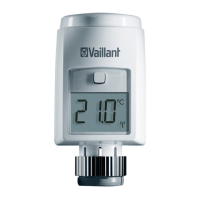
– The motor moves back to facilitate
the installation. During this time,
Valve install and the activity symbol
(
) are displayed.
> When you are prompted to do so by the
installation assistant for the app, enter
the digits of the unit number (SGTIN =
Serialised Global Trade Item Number) in








 To Next Page