Operating Manual VRT 392 10
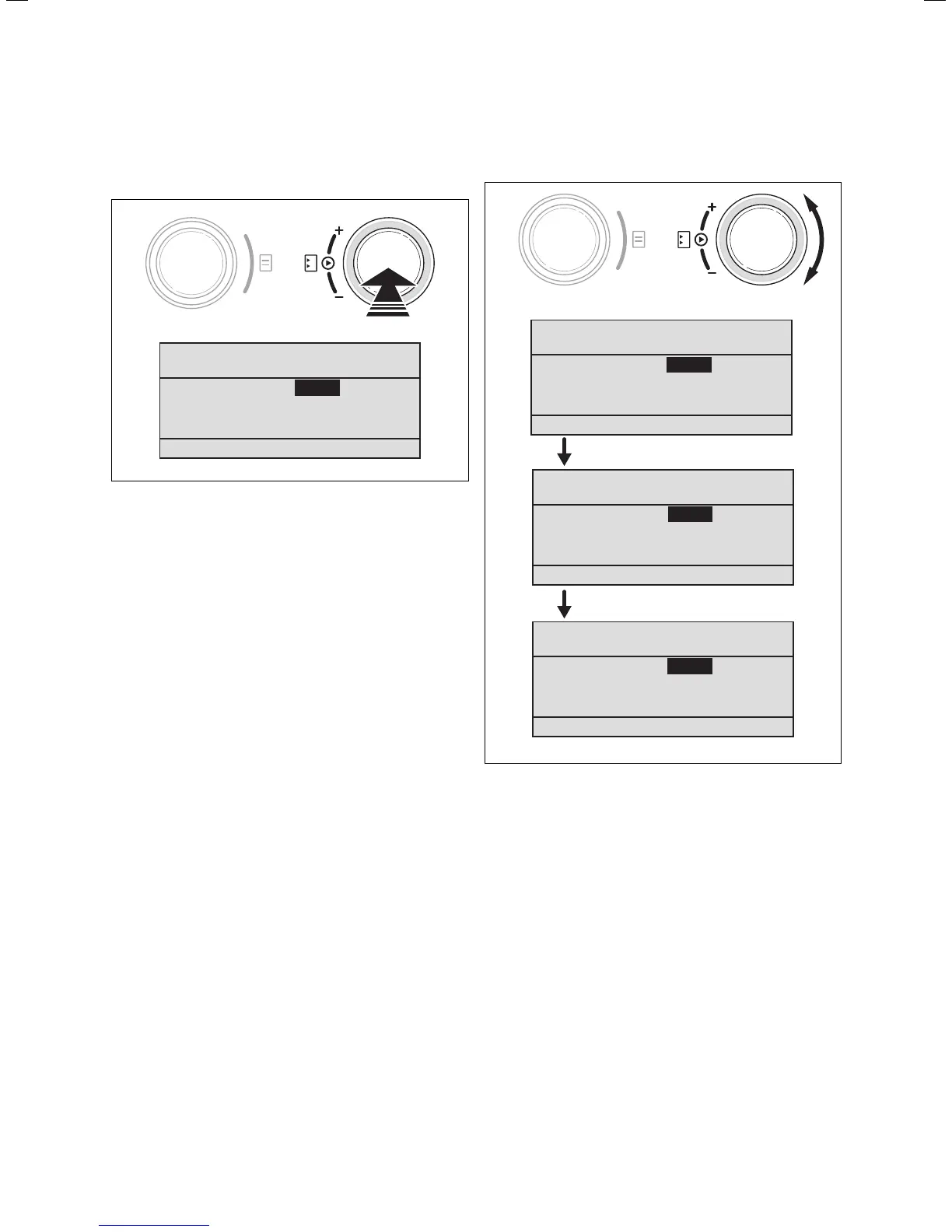
⇒ Click the right-hand dial.
The parameter marked with the cursor is
highlighted.
56.0 °C
Auto
> Select room temperature
Th. 12.01.06
11:46
HC1
Auto DHW
21.0 °C
Fig. 4.6 Highlighting a parameter
⇒ Turn the right-hand dial to display the possible
values .
56.0 °C
Auto
> Select room temperature
Th. 12.01.06
11:46
HC1
Auto DHW
21.0 °C
56.0 °C
Auto
Th. 12.01.06
11:46
HC1
Auto DHW
21.5 °C
56.0 °C
Auto
Th. 12.01.06
11:46
HC1
Auto DHW
22.0 °C
> Select room temperature
> Select room temperature
Fig. 4.7 Changing the values of a parameter
⇒ Click the right-hand dial.
The value is saved and is no longer highlighted.
4 Operation



 To Next Page