The VAIS Technology SoundLinQ3 (Model: SL3u) is a universal audio interface designed to integrate aftermarket audio equipment into a vehicle's factory audio system. It allows users to connect devices such as MP3 players, portable satellite radios, and other audio sources, providing an auxiliary audio input to the car's head unit.
Function Description:
The SoundLinQ3 acts as a bridge between external audio devices and the vehicle's existing radio receiver. It can be programmed to operate in one of three emulation modes: CD changer emulation mode, MD changer emulation mode, or a special emulation mode, depending on the vehicle's compatibility. Once connected and configured, the vehicle's radio display will recognize the SoundLinQ3 as a "CD/CD1/CD2" or "MD1" device, allowing the user to select it as an audio source.
Important Technical Specifications:
- Model: SL3u
- Type: Universal Audio Interface
- Connectivity: Utilizes vehicle-specific Y-harnesses (12-pin or 20-pin) and an audio harness (36 inches) to connect to the head unit.
- Built-in Features:
- Electronic Ground Noise Isolator: Designed to eliminate unwanted car engine noise, ensuring a cleaner audio signal.
- Electronic Source Level Adjustment: Allows users to independently adjust the sound level for each connected audio source, providing flexibility in balancing audio output.
- Resettable Fuses: Provides protection for the electronic circuits from overcurrent conditions, enhancing the device's durability and safety.
- Mounting: The unit can be mounted using hook and loop fasteners (not included) to the carpet or car chassis. It is recommended to ground the unit to the car chassis for optimal results.
- Screw Size: When using screws for mounting, it is crucial not to use screws larger than 5mm, as this may damage the PCB board.
Usage Features:
- Source Selection:
- Head Unit: Users can switch between the unit's sources by pressing the "DISC" or "CD" button on the radio.
- Steering Wheel Control: For vehicles with steering wheel controls, the "MODE" button can be used to cycle through the available sources.
- SC430 (2002-2004 Special Mode): In this specific mode, source selection is done by pressing the "FM" button on the head unit or the "MODE" button on the steering wheel control.
- AUX Input Sound Level Adjustment:
- To adjust the sound level, users must first select "AUX Input mode," start playing a desired song, and activate the "SCAN" function on the head unit.
- While "SCAN" is active, the "SCROLL UP" and "SCROLL DOWN" functions (typically found on the head unit or steering wheel controls) can be used to increase or decrease the volume.
- The sound level, ranging from 01 to 15, will be displayed on the head unit.
- It's important to note that high sound levels may lead to noticeable sound distortion. If the connected AUX input device has a built-in Equalizer, it is recommended to disable it to prevent unwanted sound distortion.
- Emulation Mode Selection: The SoundLinQ3 requires proper emulation mode setup to be recognized by the head unit. This involves a specific sequence of programming steps:
- MD Changer Emulation Mode (excluding 2002-2004 SC430):
- Install the unit.
- Set both programming switches to "DOWN."
- Turn ignition switch to "ACC."
- Wait for a long beep followed by short beeps (up to one minute).
- Return programming switches to "UP."
- Wait up to 30 seconds for a confirmation beep.
- Turn ignition switch to "OFF" (at least 10 seconds).
- Turn ignition switch to "ACC" or "ON."
- Check functionality, especially text capabilities.
- CD Changer Emulation Mode:
- Install the unit.
- Set the "Right" programming switch to "DOWN."
- Turn ignition switch to "ACC."
- Wait for a long beep followed by short beeps (up to one minute).
- Return programming switches to "UP."
- Wait up to 30 seconds for a confirmation beep.
- Turn ignition switch to "OFF" (at least 10 seconds).
- Turn ignition switch to "ACC" or "ON."
- Check functionality, especially text capabilities.
- Special Emulation Mode (2002-2004 SC430):
- Install the unit.
- Set the "Left" programming switch to "DOWN."
- Turn ignition switch to "ACC."
- Wait for a long beep followed by short beeps (up to one minute).
- Return programming switches to "UP."
- Wait up to 30 seconds for a confirmation beep.
- Turn ignition switch to "OFF" (at least 10 seconds).
- Turn ignition switch to "ACC" or "ON."
- Check functionality, especially text capabilities.
- Improper emulation mode settings can prevent the head unit from recognizing the device. CD or MD Changer Emulation Mode Programming MUST BE DONE for the unit to find its proper address in the vehicle's audio/video network.
Maintenance Features:
- Installation Location: It is strongly recommended to install the unit in an easily accessible location. This allows for future upgrades or reprogramming if incorrect programming occurs.
- Wiring and Installation by Experts: The wiring and installation of this product require special technical skills and experience. It is advised to have this done by experts to ensure proper and safe installation.
- Use of Specified Accessory Parts: Using parts other than those specified may damage the product internally.
- Safety Precautions:
- Do Not Disassemble or Alter: Disassembling or altering the unit can lead to accidents, fire, or electric shock.
- Do Not Block View or Airbag: The product or any added equipment should not be mounted where it obstructs the driver's view or the operation of safety devices like airbags.
- Distraction Warning: Avoid distraction from the product or added equipment while driving.
- Disconnect Battery Before Wiring: Before starting installation, disconnect the negative battery terminal and wait 90 seconds. This prevents accidental airbag deployment and loss of memory settings for various vehicle features.
- Do Not Splice into Electrical Cables: Cutting cable insulation to supply power to other equipment can exceed current capacity, leading to fire or electric shock.
- Prevent Entanglement: Ensure cables and wiring do not obstruct or get caught on vehicle parts like the steering wheel, shift lever, or brake pedals, as this can be extremely hazardous.
- Avoid High Moisture or Dust: Do not install the unit in locations with high moisture or dust, as this can lead to product failure.
- Do Not Pull by Wires: When unplugging connectors, always pull the connector itself, not the wires, to prevent damage.
The SoundLinQ3 is designed to be a reliable and versatile solution for expanding a vehicle's audio capabilities, provided that installation and configuration guidelines are strictly followed.

 Need help?
 General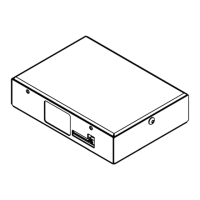

 To Next Page