
 Need help?
Do you have a question about the Vakaros Atlas 2 and is the answer not in the manual?
Download the latest version of the Vakaros Connect App to link wirelessly with your Atlas for device settings, firmware updates, and live data view.
Press and hold the Power button to turn the Atlas on or off. You'll hear a power-on sound and the LEDs progress as the Atlas 2 wakes up.
The info bar displays device info like Battery Level and Current Time. Buttons 1-4 are contextual and change function based on the displayed screen.
Press the LINE button to record start line marks (Boat & Pin). This displays the Line Screen with distance to line (DTL) and time to line (TTL) data.
Displays a graphical representation of the boat relative to the starting line in real time, enhanced with LEDs for additional starting information.
Covers setting port/starboard reference angles via automatic or manual methods, and the innovative 7 RGB LED display for key sailing data and alerts.
Logs sensor data for later review at high rates (1-10Hz) with wireless connectivity, making it a favorite for Olympic teams.
Allows users to easily design custom screens with a graphical builder and publish them to the Atlas 2, supporting external sensors via widgets.
Covers firmware updates, backlight, profiles, clock, orientation offset, starting timer, bow offset, magnetic heading, and sensor dampening.
Features over 100 hours of battery life on a wireless charge and supports Qi compatible charging pads.
Includes loudspeakers built into the bottom of the case, protected by a waterproof membrane, offering customizable volume and sounds.
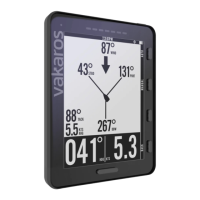
The 4.4 inch transflective LCD screen offers high contrast and legibility, bonded with Gorilla Glass for maximum protection.
 General
| Display Size | 3.5 inches |
|---|---|
| Operating System | Proprietary |
| GNSS | GPS, GLONASS, Galileo, BeiDou |
| Update Rate | 10 Hz |
| Data Logging | Yes |
| Internal Storage | 16GB |
| Display | Color LCD |
| GPS | Yes |
| Connectivity | Bluetooth |
| Compass | Yes |
| Heading Accuracy | ±0.5° |

 To Next Page